







Find Your Ergonomic Keyboard
Typing discomfort usually comes from three things: hand position, wrist angle and key effort. Split and wave layouts change the angle of your hands, palm rests support the base of the palm, and low-profile scissor keys shorten the reach. ProtoArc keyboards differ mainly in layout, size and whether they fold.
Every keyboard below is our own product. Match the layout to where you type first, then check connectivity and battery.
Find Your Layout
Which keyboard fits where you type?
Match the layout to your desk first, then check connectivity and battery.
Split, full-size
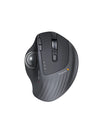
A curved split keyset angles each hand inward toward shoulder width, with a cushioned wrist rest and three backlight levels. Best for all-day typing at a fixed desk.
Split with numpad
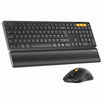
A compact split keyset plus a separate numeric keypad you can place where it suits you, with a firm leather-surface palm rest. Good when spreadsheets are part of the day.
Wave layout
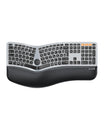
Rows curve to follow the natural arc of your fingers, with a three-layer memory foam rest and a number pad that keeps the mouse within reach.
Foldable travel
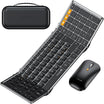
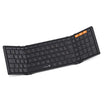
A full-size 105-key layout that folds to 21.5 × 12 cm, with quiet scissor keys and three Bluetooth channels. Built for laptop bags.
Ergonomic Keyboards
Shop Ergonomic Keyboards
Split, wave, foldable and Mac layouts from our own range.
Compare
Compare ProtoArc Keyboards
Four representative layouts. A dash means the feature is not part of that model.
Full-size split typing at a fixed desk
Split typing with a separate numeric keypad
Compact desk that still needs a number pad
Travel, commuting and mobile work
Full-size, 500 × 265 mm
332 × 230 mm + 205 × 52 mm numpad
100 keys, QWERTY
105 keys, tri-fold
Curved split keyset
Split curved keyset
Wave-shaped rows
Foldable, aluminum hinges
Cushioned curved wrist rest
Fixed hard leather-surface palm rest
3-layer memory foam
—
3-level white LED
—
—
—
2× Bluetooth + 2.4G (3 devices)
2× Bluetooth + 2.4G (3 devices)
2× Bluetooth + 2.4G (3 devices)
3× Bluetooth 5.1
2000 mAh, USB-C, up to 200 days standby
USB-C, up to 250 hours standby
500 mAh, up to 100 hours
210 mAh, up to 150 days standby
4 feet, 3 angle settings
4 tilt legs
Dual legs, 3° / 3.3°
—
Before You Buy
What to Look for in an Ergonomic Keyboard
Five things decide whether a keyboard suits your desk and your hands, in roughly this order.
A split keyset separates the keys into two angled halves so each hand sits closer to shoulder width. A wave layout keeps the rows together but curves them to follow finger length. Split suits a fixed desk; wave suits a compact one.
A palm rest supports the base of the palm, not the wrist joint. Soft foam suits long sessions; a firm rest keeps the hand steadier and is easier to keep clean.
A flat or slightly negative tilt keeps the wrist straighter than raised rear feet. Adjustable feet let you test which angle feels neutral rather than forcing one.
Scissor keys are shorter and quieter than mechanical switches, with less finger travel. Every ProtoArc ergonomic keyboard uses scissor switches.
Full-size layouts include a number pad; compact layouts drop it to keep the mouse closer. Mac layouts swap the modifier keys, so choose them only if you work mainly on macOS or iPadOS.
FAQ
Quick Answers About ProtoArc Keyboards
What people ask most before choosing a keyboard.
Is a split keyboard hard to learn?
Most people adapt within a few days of full-time typing. The keys stay in the same order; what changes is the angle between the two halves, so your hands sit closer to shoulder width.
Split or wave keyboard?
Choose split if you type at a fixed desk all day and want each hand angled inward. Choose wave if desk space is tight and you want a curved layout that still fits a number pad and a mouse.
Do these keyboards work with Mac?
The EK01 Plus, EK04, EK02 and XK01 work with Windows, macOS and Android. If you want a Mac-specific layout with a compact 78-key design, choose the K90-A instead.
Can I use these keyboards with a standing desk?
Yes. The EK02 has two tilt settings (3° and 3.3°) that suit standing and sitting heights, and the EK01 Plus and EK04 both offer adjustable feet.
How long does the battery last?
It depends on the model and backlight use: EK01 Plus offers up to 200 days standby, EK04 up to 250 hours, EK02 up to 100 hours of use, and XK01 up to 150 days standby.
