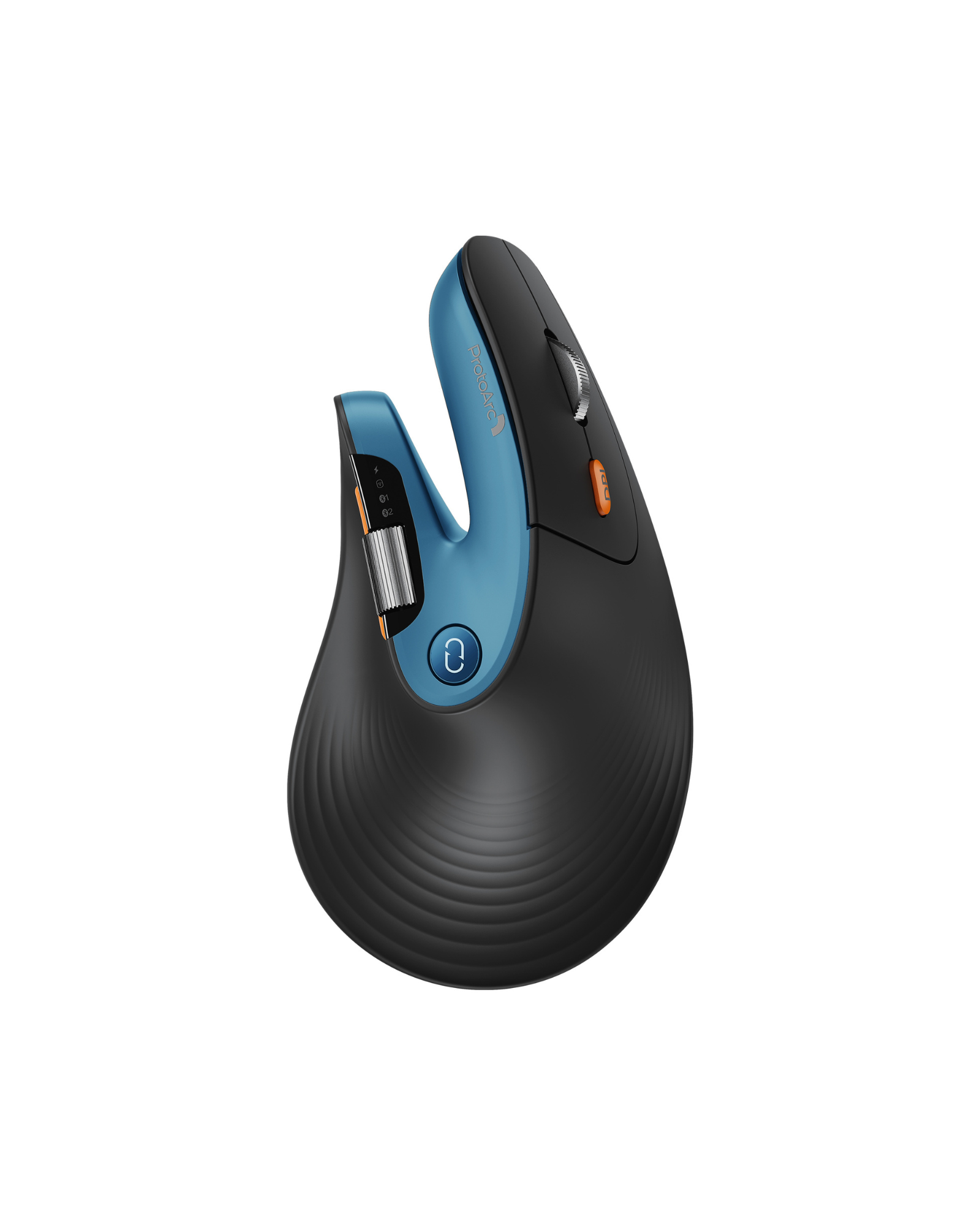
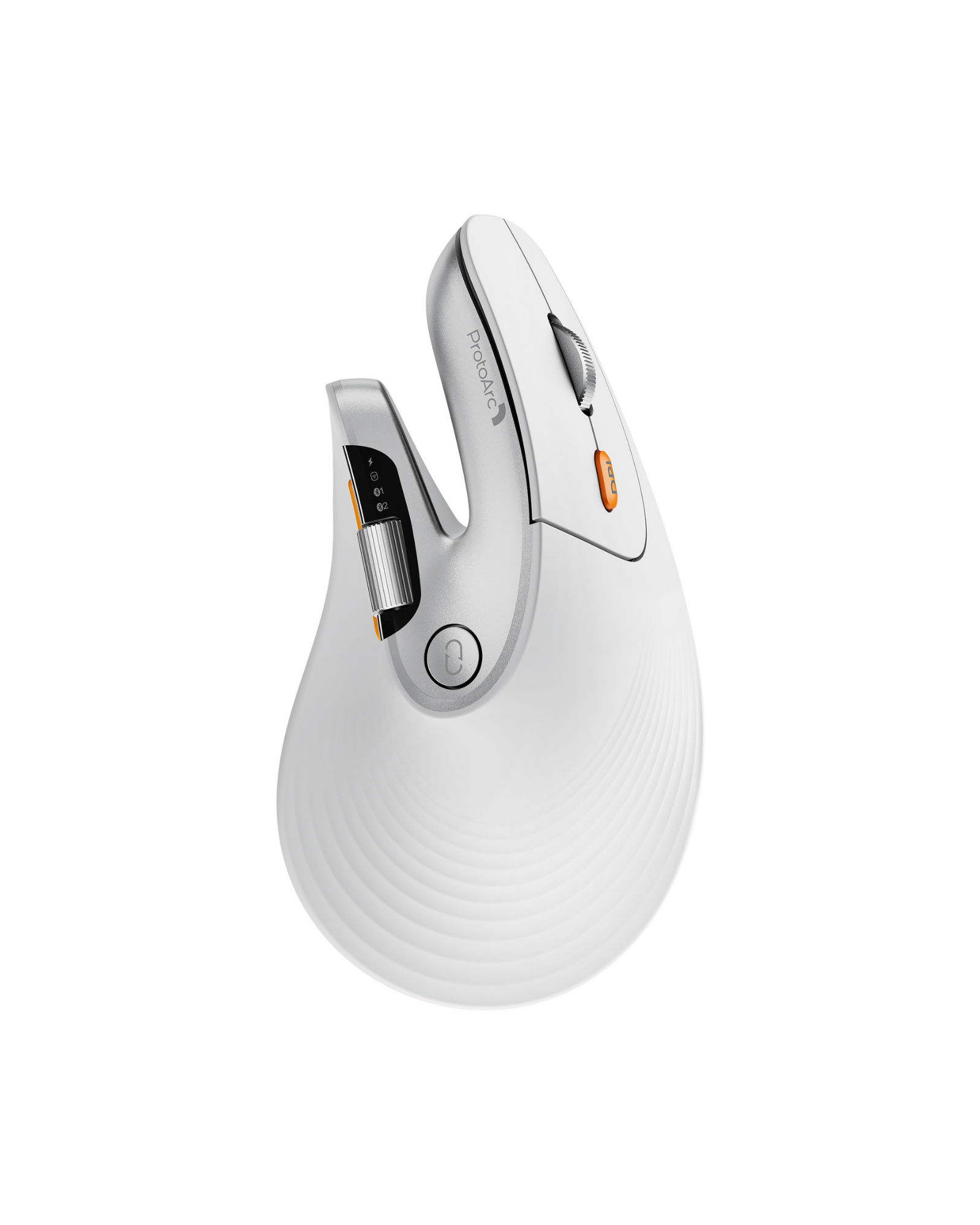
Ratón ergonómico de desplazamiento rápido EM11 PRO (Copia)

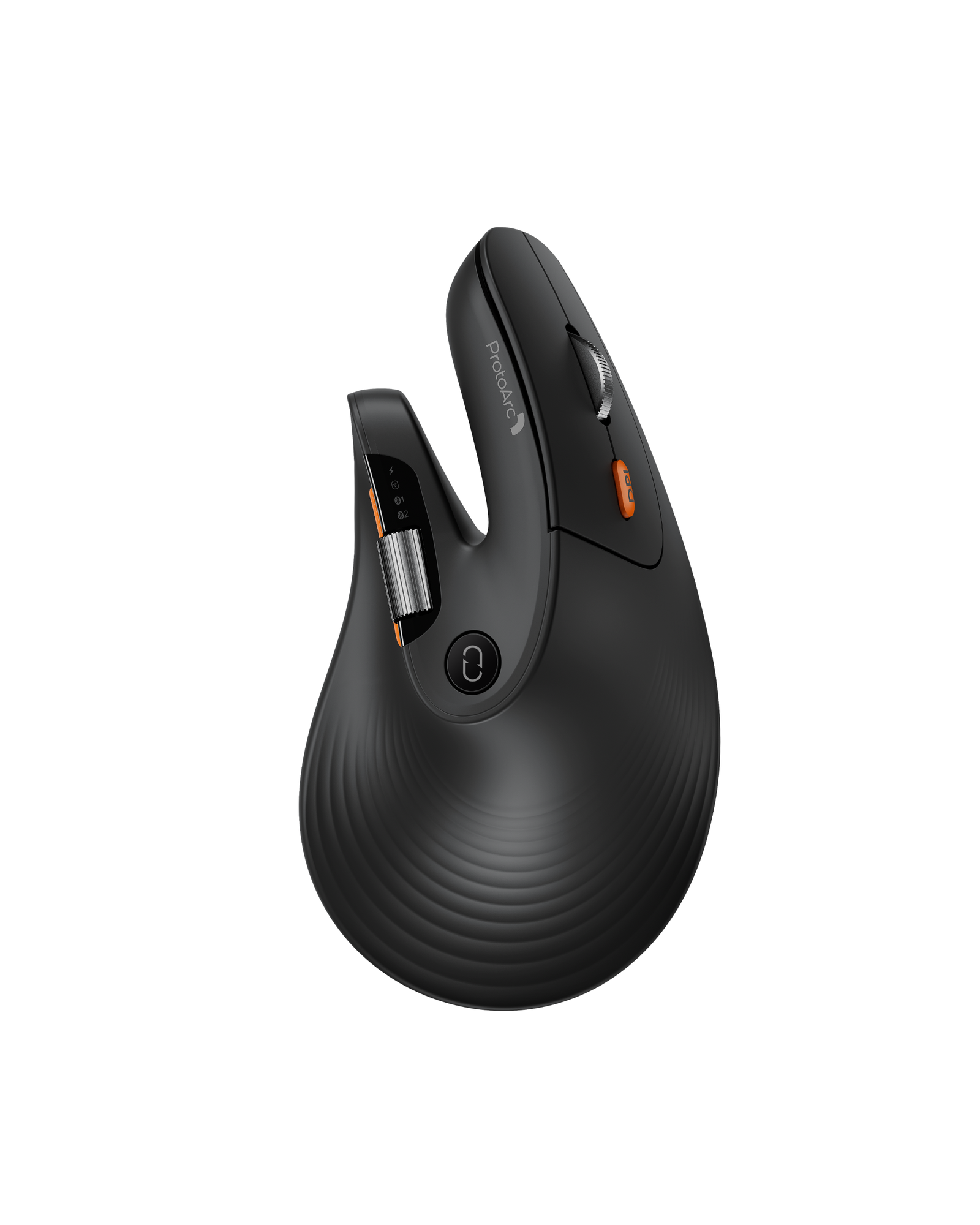
High-Performance Vertical Wireless Mouse with Dual Scroll Wheels, Web-Based Driver & Adjustable DPI

Color: Negro
Limited early-bird offer MSRP $49.99

Reveal your reserved pre-order price

ProtoArc EM11 Pro Ergonomic Mouse

Your Reserved Price Locked
$ --.--

Locked until you enter email

MSRP $49.99

Guaranteed at least $10 off MSRP.

One reserved price per customer. Applies to EM11 Pro only. Discount applies automatically at checkout.

This is a pre-order product. Goods are en route to our US warehouses. Orders will be dispatched within 10–20 days, and all shipments will go out within 1 month at the latest.
Free Shipping 30-Day Returns 2 Years  Warranty
This is a PRE-ORDER item. Stock is not yet available currently. Estimated shipping time: 10 to 30 days. Free Shipping on eligible orders. U.S. orders arrive within 2–3 business days, while some international orders may take 7–12 business days. Please refer to our Shipping Policy for details.
30-Day Returns for added peace of mind. Please review our Returns Policy before purchase.
2 Years backed by responsive support for product and parts-related issues. Click for Warranty Policy.

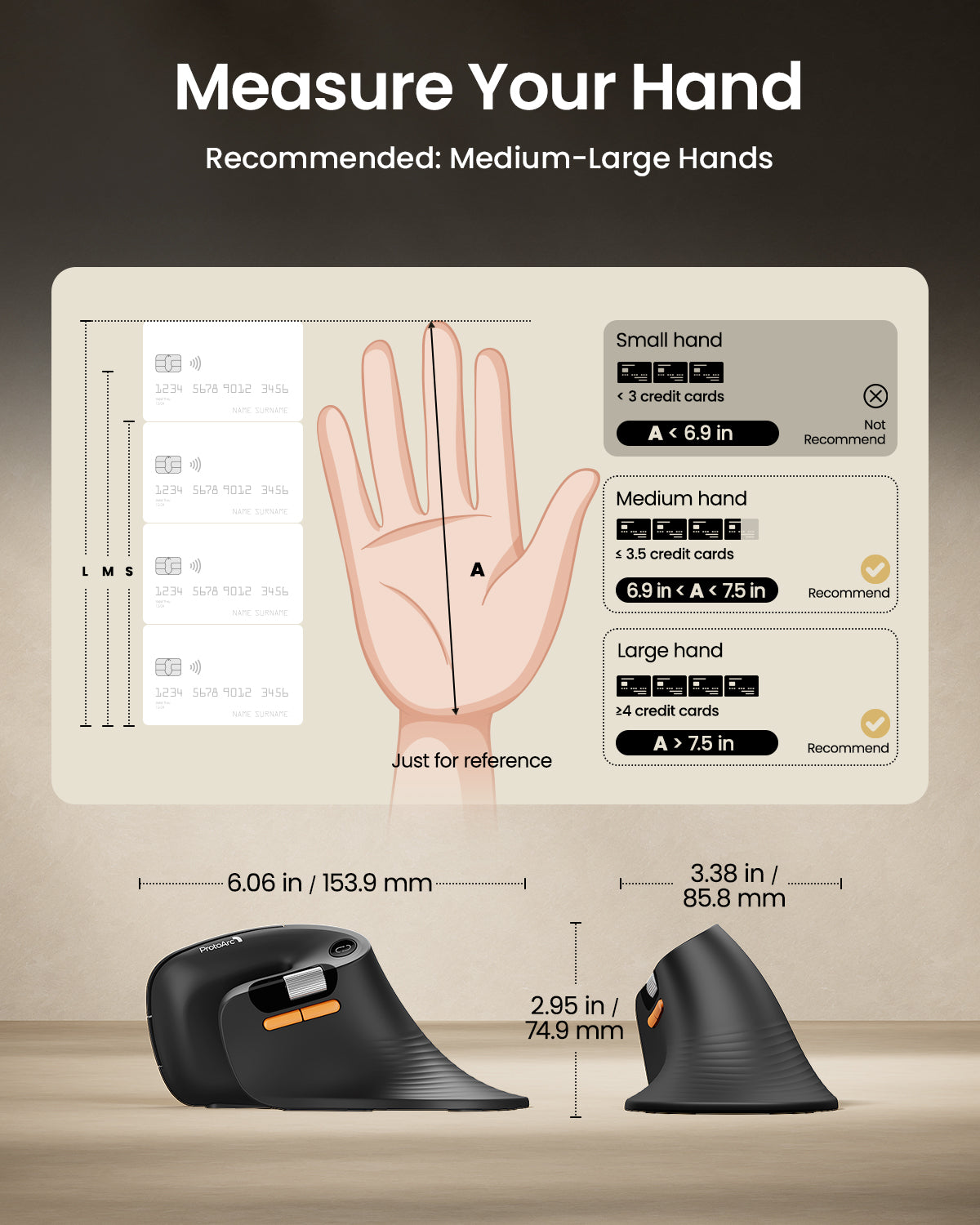
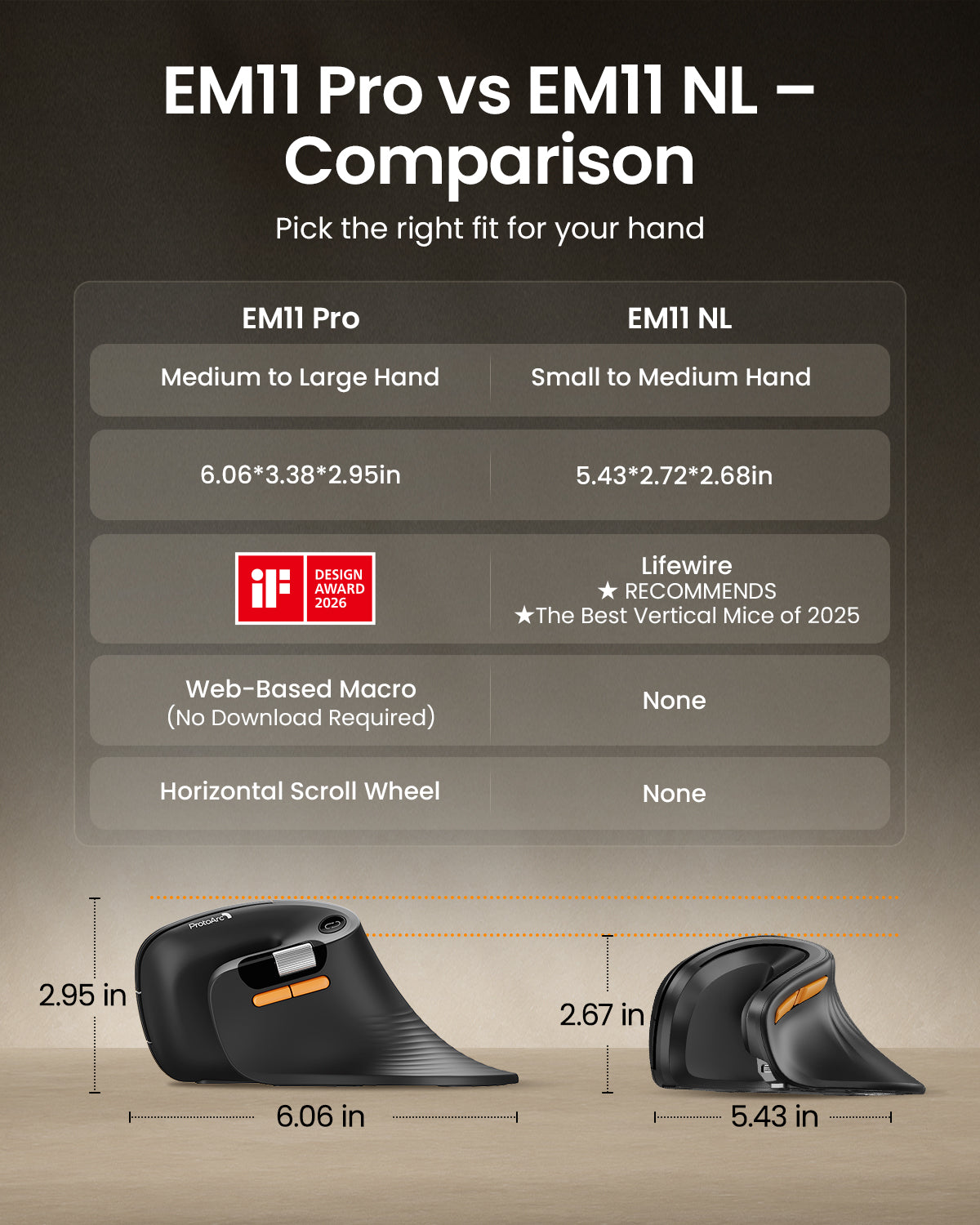
Built for Medium-Large Hands. More Comfort. More Efficiency.

EM11 Pro Ergonomic Mouse

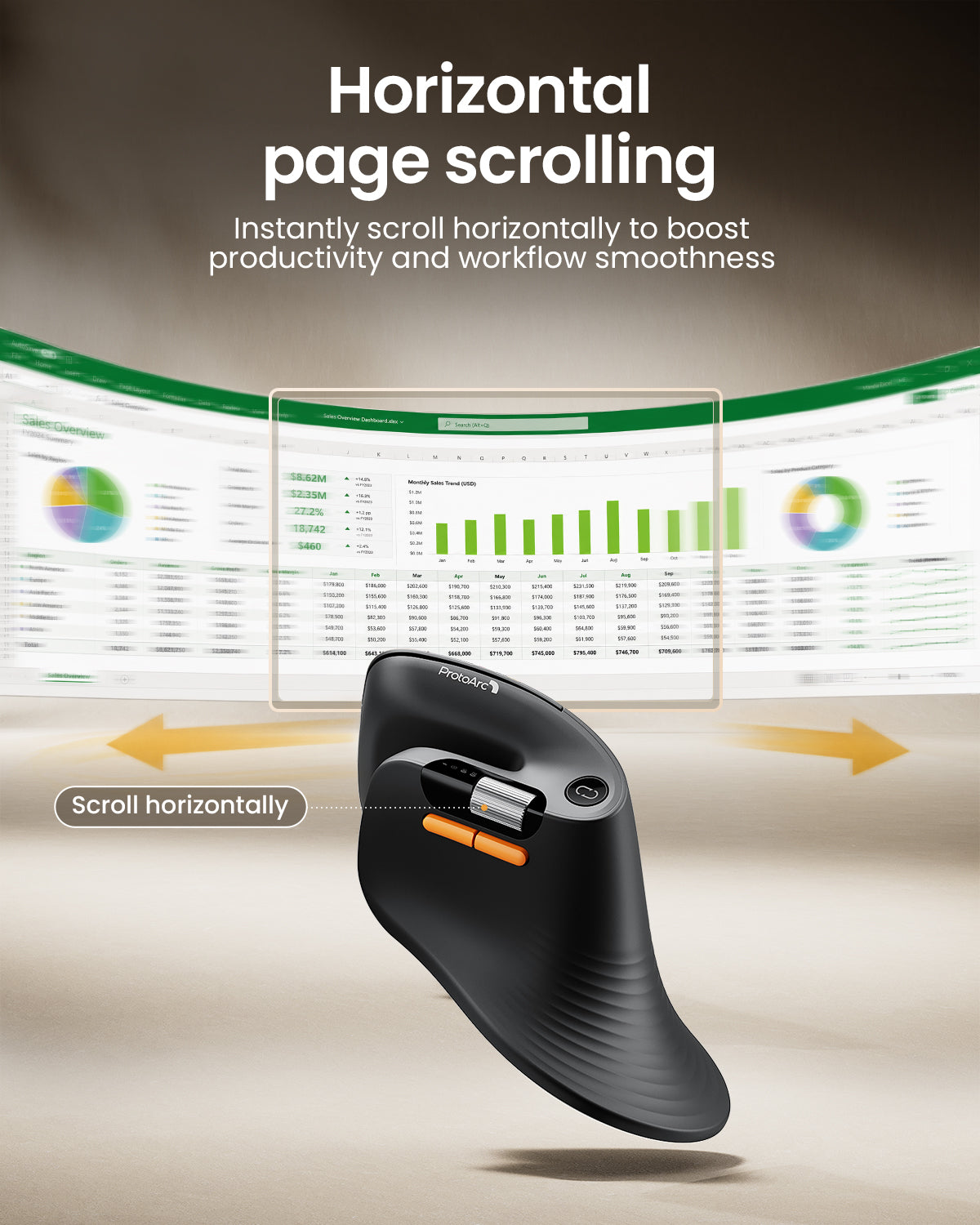
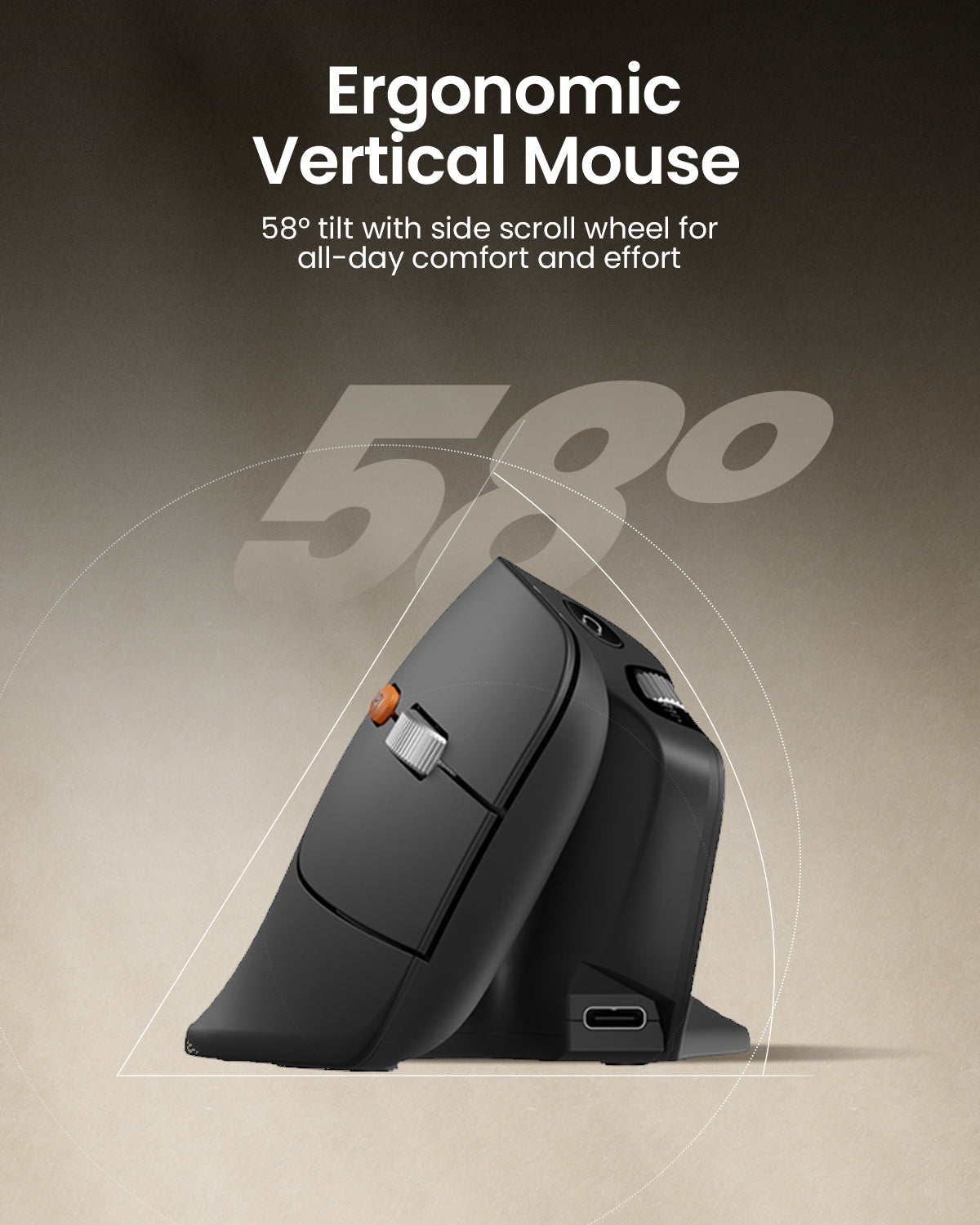
Ergonomics|Web-Based Customization|Side Scroll Wheel|58°|iF Design Award

Read Design Story
01

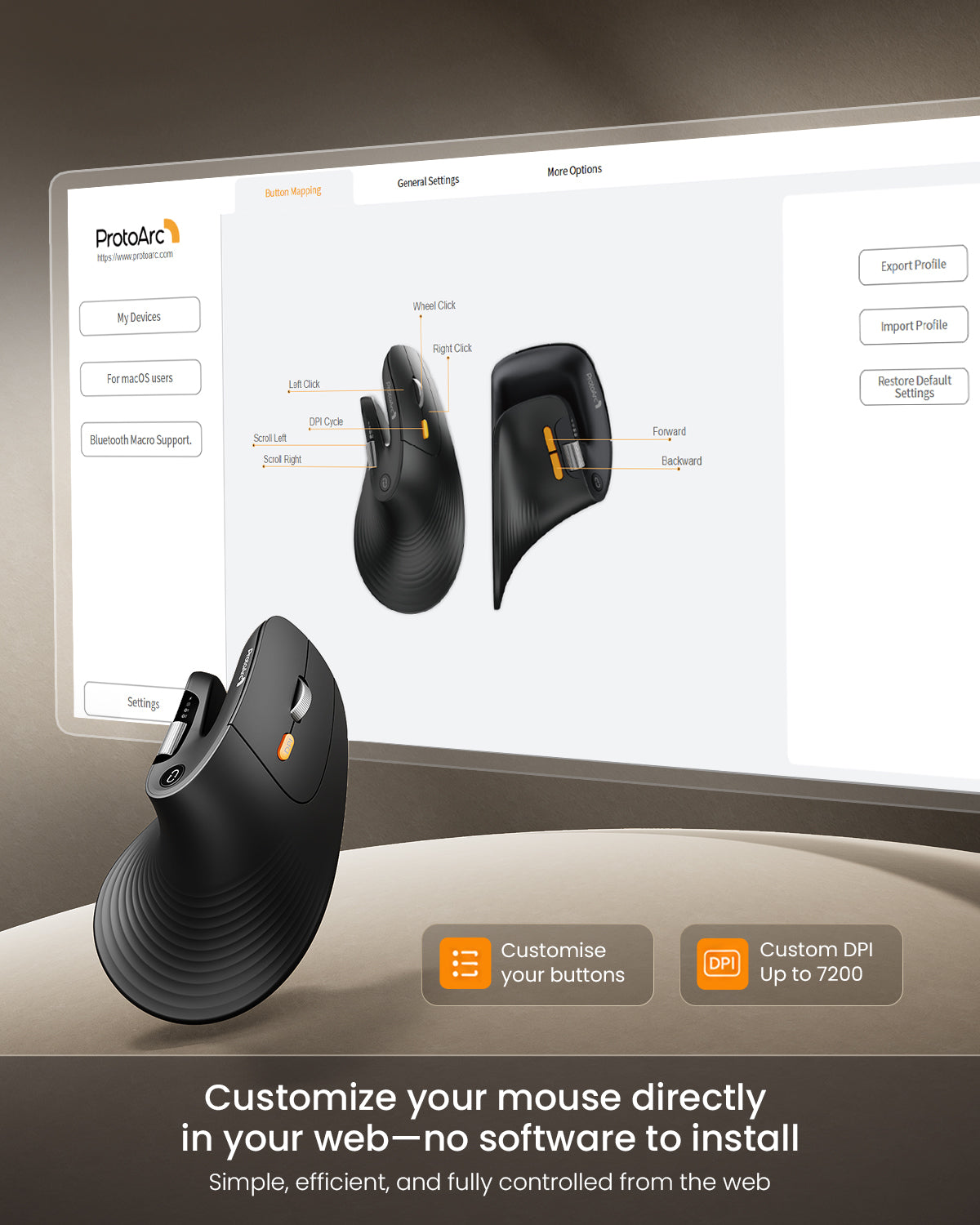
Customize Your Workflow


Create personalized mouse shortcuts through the web-based macro editor — customize buttons for copy/paste, app switching, screenshots, workflow tools, and repetitive actions to work faster with fewer clicks.

02

High-Precision Control

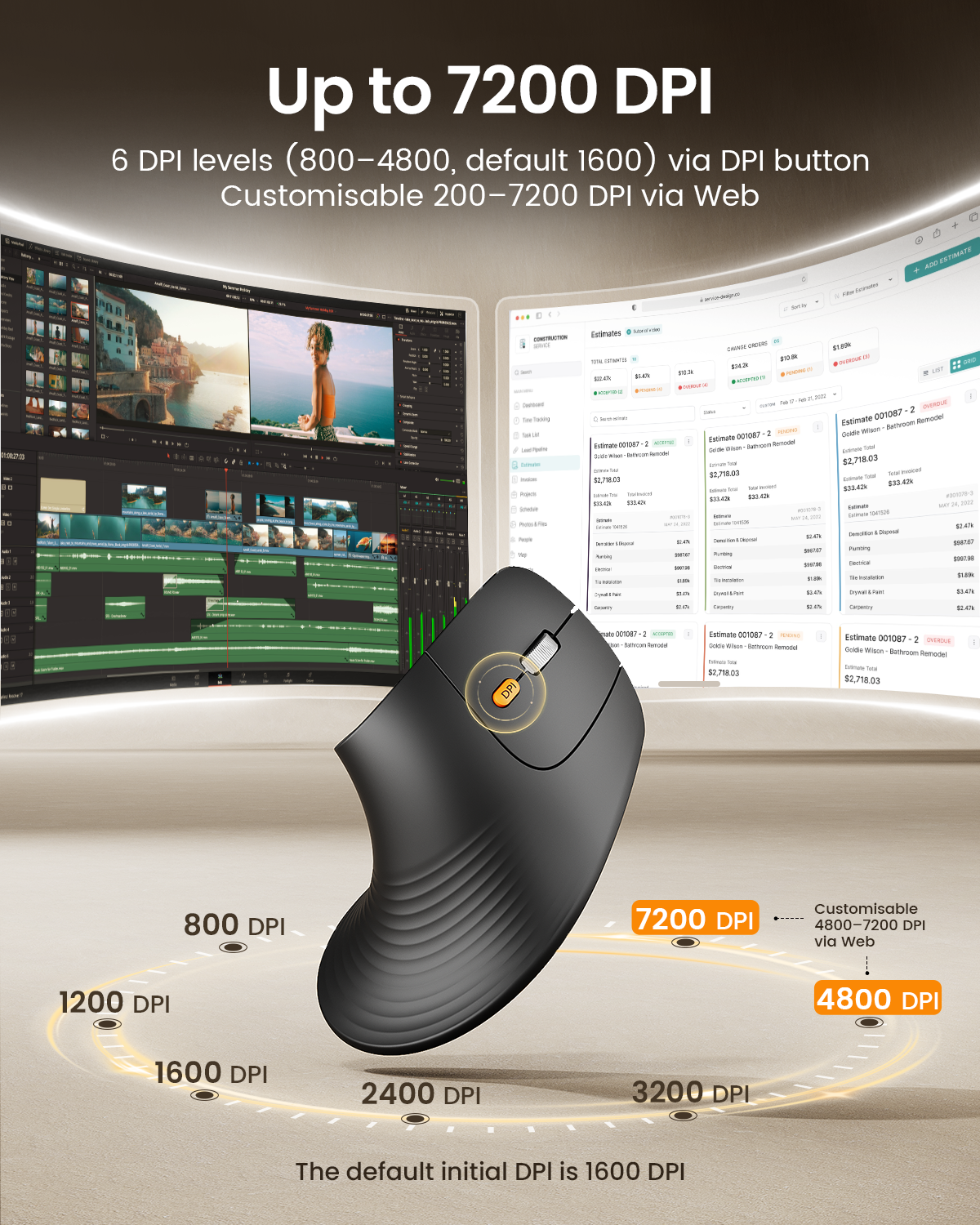
Adjustable up to 7200 DPI for smooth, precise tracking — move faster, navigate with accuracy, and stay efficient across different work tasks.

03

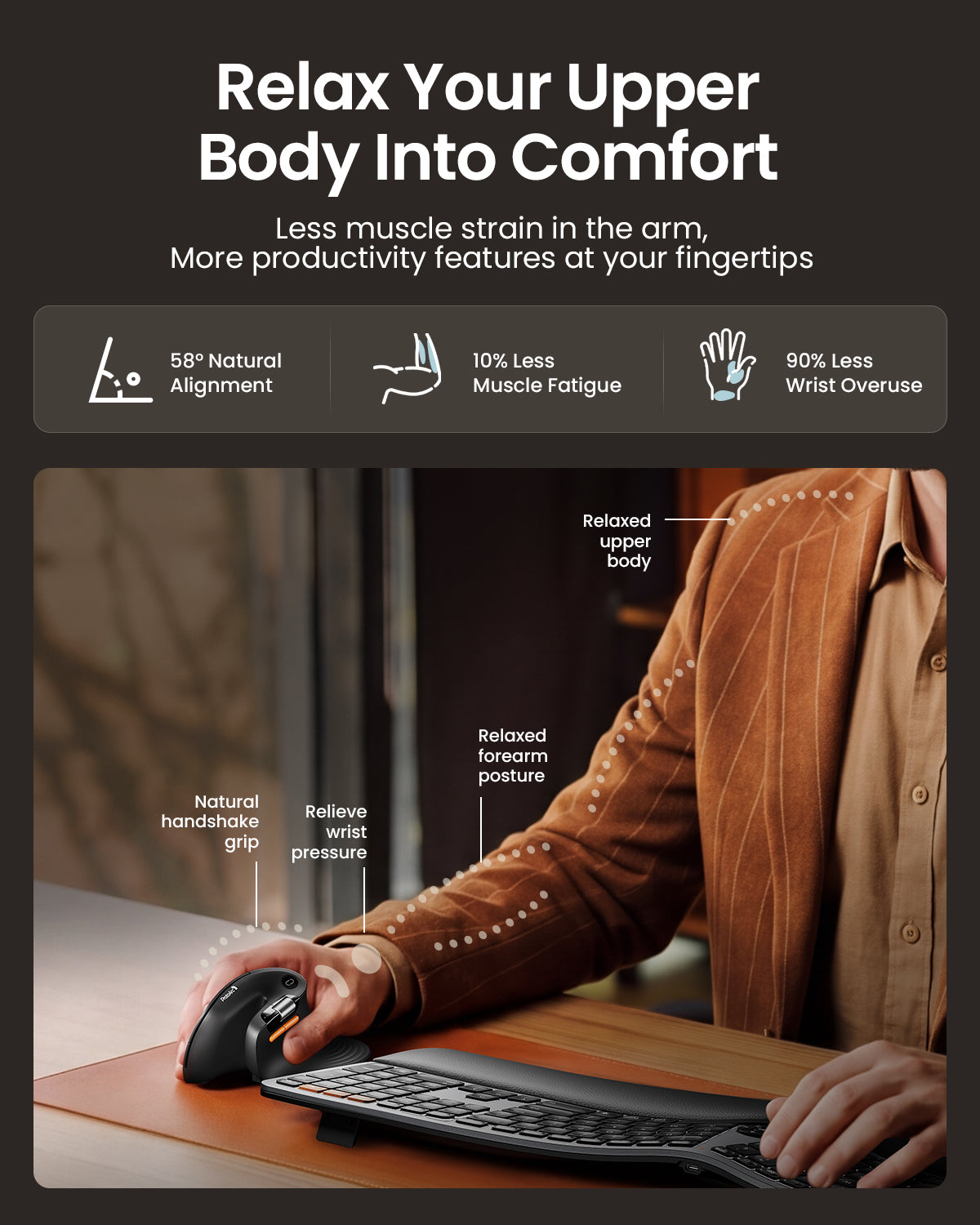
All-Day Ergonomic Comfort

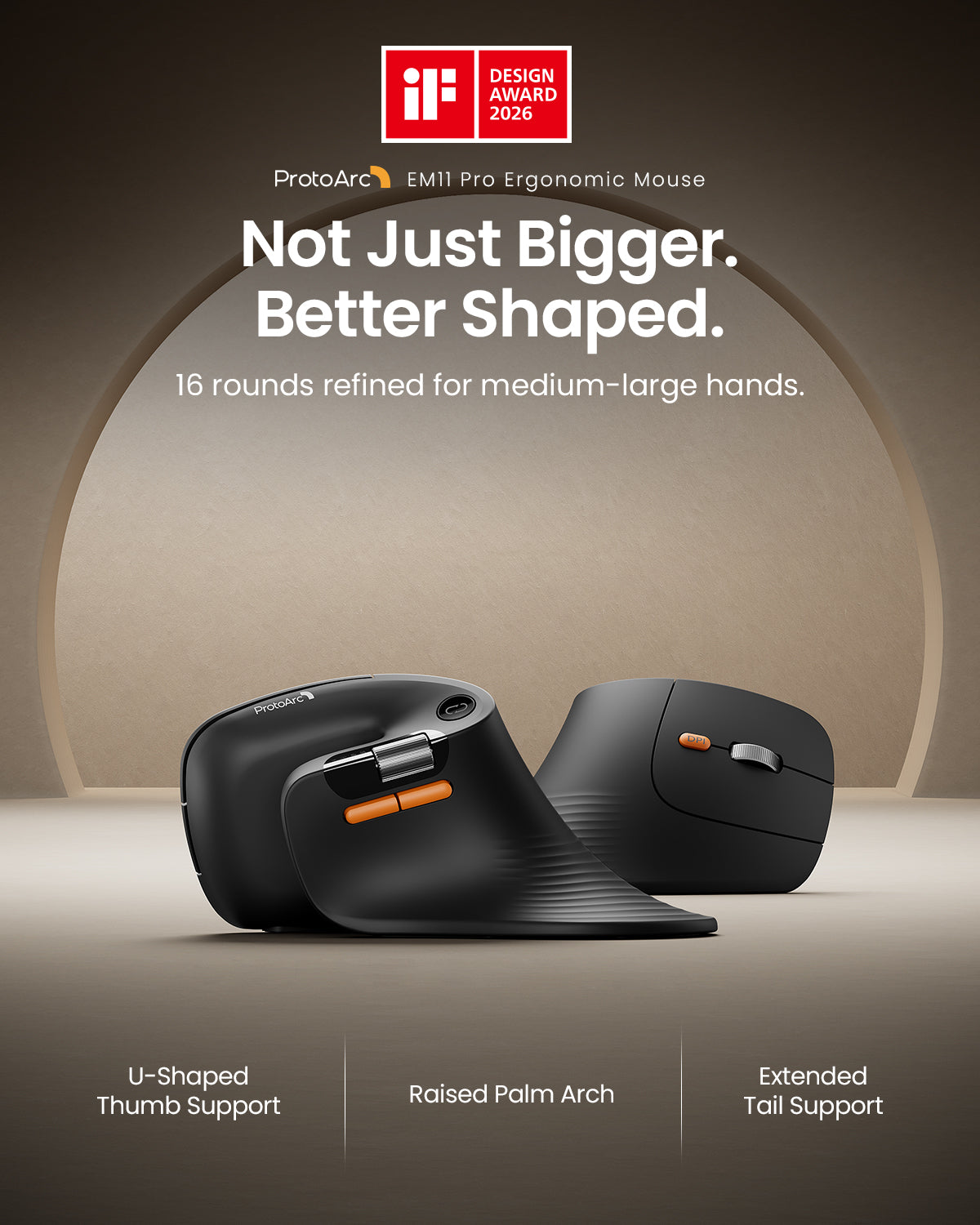
Every curve is shaped to fit the natural form of your hand. From the U-shaped thumb support to the fuller palm arch and widened tail design, each detail is refined to provide better support, reduce friction, and create a more comfortable ergonomic experience throughout the day.

01

Customize Your Workflow


Create personalized mouse shortcuts through the web-based macro editor — customize buttons for copy/paste, app switching, screenshots, workflow tools, and repetitive actions to work faster with fewer clicks.

02

High-Precision Control

Adjustable up to 7200 DPI for smooth, precise tracking — move faster, navigate with accuracy, and stay efficient across different work tasks.

03

All-Day Ergonomic Comfort

Every curve is shaped to fit the natural form of your hand. From the U-shaped thumb support to the fuller palm arch and widened tail design, each detail is refined to provide better support, reduce friction, and create a more comfortable ergonomic experience throughout the day.

Winner of the International iF Design Award

When we learned that the product had received the iF Design Award, we were truly excited. It meant a lot to the whole team.

Before it had even reached many users, the product had already been recognized by the industry. For our team, it felt like every late night, every small adjustment, and six months of focused effort had finally been seen.

Winner of the International iF Design Award

When we learned that the product had received the iF Design Award, we were truly excited. It meant a lot to the whole team.

Before it had even reached many users, the product had already been recognized by the industry. For our team, it felt like every late night, every small adjustment, and six months of focused effort had finally been seen.

Ratón bluetooth ergonómico de desplazamiento rápido ProtoArc EM25

ProtoArc EM25 es un ratón ergonómico de desplazamiento rápido diseñado para ayudarte a moverte a través de páginas largas, hojas de cálculo y documentos de manera más eficiente. Con una rueda de desplazamiento de alta velocidad de 1000 líneas y control de rueda lateral, reduce el esfuerzo de desplazamiento mientras mantiene la navegación suave y precisa.

También admite la personalización de botones basada en la web y la creación de macros, por lo que puedes asignar accesos directos y automatizar acciones repetitivas sin descargar software. Combinado con una precisión de hasta 8000 DPI, clics silenciosos, energía recargable y conectividad de múltiples dispositivos, el EM25 está diseñado para flujos de trabajo enfocados en la productividad.

perno

Desplazamiento rápido de 1,000 líneas/S

swap_horiz

Rueda de desplazamiento lateral

auto_fix_high

Personalización de macros

dispositivos

Conecta hasta 3 dispositivos

pan_tool

Confort ergonómico

ads_click

Precisión de 8000 DPI

Descripción general

Rueda de desplazamiento rápida y control de precisión de ProtoArc EM25 Diseño ergonómico del ratón ProtoArc EM25 para mayor comodidad Confort natural de muñeca y soporte de postura de ProtoArc EM25 Conexión de múltiples dispositivos y DPI ajustable de ProtoArc EM25 Características del ratón ergonómico ProtoArc EM25 para trabajo y oficina Diseño de distribución de botones y controles de ProtoArc EM25 Ratón inalámbrico de clic silencioso ProtoArc EM25 Botones personalizables y configuración de flujo de trabajo de ProtoArc EM25

Guía de configuración y controladores EM25

Configura la personalización de botones, macros y controles avanzados a través de la herramienta web EM25. No se requiere descarga de software.

Abrir la Guía de Configuración del EM25

Por qué elegir ProtoArc EM25

ProtoArc EM25 está diseñado para personas que quieren moverse más rápido en su trabajo sin renunciar al control. Su rueda de desplazamiento de alta velocidad te ayuda a navegar rápidamente a través de páginas largas, hojas de cálculo y documentos, mientras que la rueda lateral hace que la navegación horizontal sea más fluida y eficiente.

Con la personalización basada en la web y el soporte de macros, puedes asignar accesos directos y automatizar acciones repetitivas para optimizar tu flujo de trabajo. Agrega comodidad ergonómica, clics silenciosos, energía recargable, cambio entre múltiples dispositivos y hasta 8000 DPI de precisión, y el EM25 se convierte en un ratón práctico para la productividad moderna.

Preguntas Frecuentes

1. ¿A cuántos dispositivos puede conectarse el ProtoArc EM25?

El EM25 puede conectarse a hasta 3 dispositivos al mismo tiempo a través de USB 2.4G y dos canales Bluetooth. Puedes cambiar entre dispositivos con una simple pulsación de botón.

2. ¿Qué sistemas operativos son compatibles?

El EM25 es compatible con Windows, macOS, ChromeOS, iPadOS y Android para uso general, incluyendo movimiento del puntero, desplazamiento y funciones básicas.

3. ¿Qué sistemas son compatibles con el controlador y la personalización?

Las funciones de controlador y personalización, incluyendo la reasignación de botones y la configuración de macros, son compatibles en Solo Windows y macOS. Se requiere una conexión USB durante la configuración.

4. ¿Qué navegadores son compatibles con la personalización?

La herramienta de personalización basada en la web funciona con los navegadores Google Chrome, Microsoft Edge y Opera.

5. ¿Es el ratón recargable?

Sí. El EM25 tiene una batería recargable de 500mAh incorporada e incluye un cable Type-C para cargar.

6. ¿Es adecuado para entornos silenciosos?

Sí. Los botones izquierdo y derecho están diseñados con clics silenciosos, lo que hace que el EM25 sea adecuado para oficinas, bibliotecas y espacios de trabajo compartidos.

7. ¿Dónde puedo encontrar la guía de configuración y controladores del EM25?

Puedes abrir la guía oficial de configuración y ajuste del EM25 aquí: Abrir la Guía de Configuración del EM25

Specs

TECHNICAL SPECIFICATIONS

Performance

Tracking: Optical
DPI: Adjustable from 800 to 7200 DPI
Design: Vertical ergonomic mouse
Buttons: Programmable buttons supported
Quiet clicks: Left and right buttons are quiet

Battery

Battery capacity: 500mAh
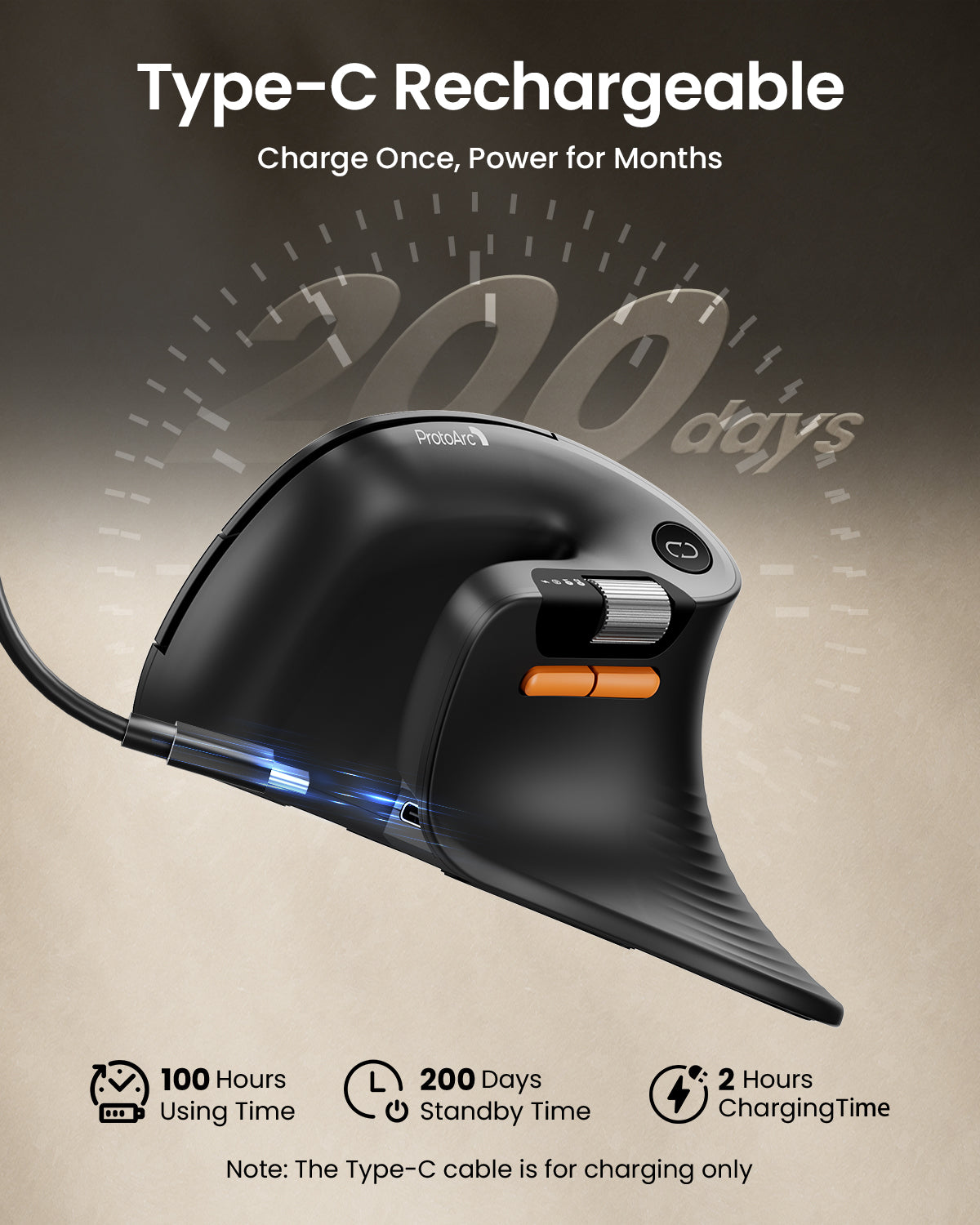
Battery life: Up to 200 days on a single charge
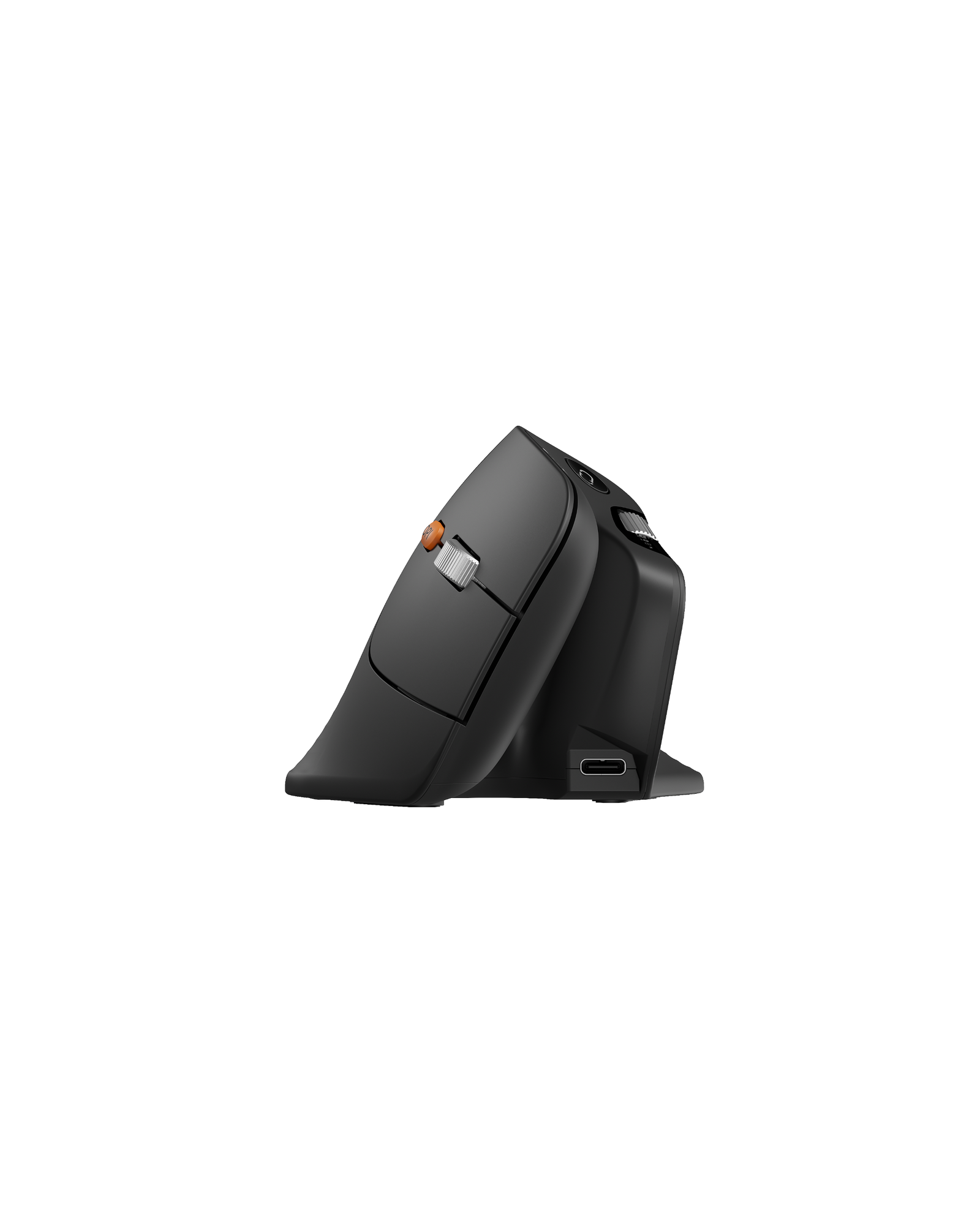
Charging: USB-C rechargeable

Connection Type

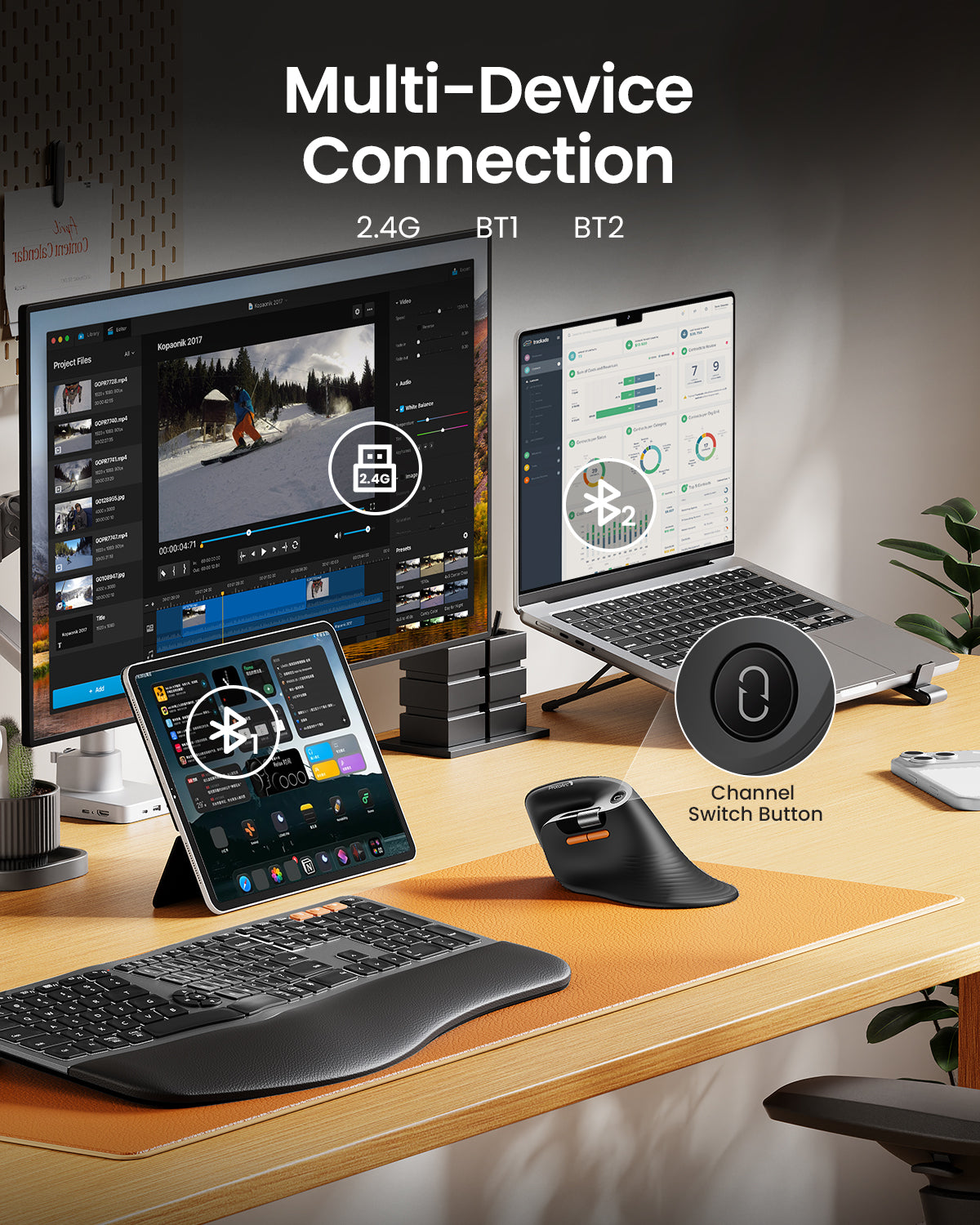
2.4G USB receiver
Bluetooth wireless connection
Multi-device support
Easy device switching

SYSTEM REQUIREMENTS

2.4G USB Receiver

Requires an available USB port.

Bluetooth

Requires a Bluetooth-enabled device.
Compatible with Windows, macOS, ChromeOS, iPadOS, and Android.
Works with computers, tablets, and smartphones.

Web-Based Customization

Supports button remapping, shortcut settings, and macro customization through the web-based driver.
A wired USB connection is required only when configuring settings.
Supported browsers: Google Chrome, Microsoft Edge, and Opera.
Customization is supported on Windows and macOS only.

PACKAGE CONTENTS

1 x ProtoArc EM11 Pro Wireless Mouse
1 x 2.4G USB Receiver
1 x USB-C Charging Cable
1 x User Manual


SETUP & SUPPORT

Open ProtoArc Setup Hub
Open User Manual Center