














In today's modern workplace, many professionals spend their days seated at a desk, often unaware that their calm, seemingly undemanding job is quietly taking a toll on their body and mind. Those little aches and pains are your body's way of sending a message. From your hands and wrists to your eyes, neck, and even your mental well-being, the office environment can be a source of various discomforts.
The good news is that with a few conscious adjustments, you can prevent pain and build a foundation for a healthier, more productive career.
Your Hands and Wrists: Your Most Important Tools
For office workers, your hands are your primary tools. Constant typing and clicking can lead to numbness, tingling, or pain in your hands and wrists—often early signs of conditions like Carpal Tunnel Syndrome
This occurs when the median nerve in your wrist gets compressed from being held in an unnatural position for too long.
Prevention is straightforward and highly effective. The key is to maintain a neutral wrist position, keeping your wrists straight while typing, not bent upwards or downwards
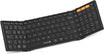
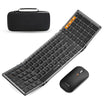
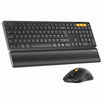
Investing in an ergonomic keyboard and a vertical mouse can be a game-changer, as they are designed to keep your wrists in a natural, neutral position
Additionally, make it a habit to take micro-breaks every hour to stretch your hands and gently rotate your wrists
A simple stretch to try: gently extend one arm, pull your fingers back with the other hand for 15 seconds, and repeat.

Neck Strain and Eye Fatigue: The Screen Time Connection
That heavy feeling in your shoulders and stiffness in your neck at the end of the workday is no coincidence. The culprit is often the position of your computer monitor
If the screen is too low, you subconsciously lower your head and hunch your shoulders forward. This posture can significantly increase the strain on your neck muscles. To correct this, elevate your monitor so that the top of the screen is at or slightly below your eye level
Simultaneously, staring at a screen for hours leads to Computer Vision Syndrome (CVS), causing dry eyes and headaches, partly because we blink less when focused
A powerful habit to adopt is the 20/20/20 rule: every 20 minutes, look at something 20 feet away for at least 20 seconds
This acts as a simple reset button for your eyes. Consciously making an effort to blink more often can also help keep your eyes moist and reduce discomfort
Posture and Your Lower Back: The Perils of Sitting
That dull ache you feel when standing up after a long sitting session is your body's silent protest. Slouching puts immense pressure on your lumbar spine, weakening the core muscles that support it
Over time, this can lead to more serious issues like chronic pain.
Protecting your lower back starts with prioritizing lumbar support. Use an ergonomic chair with adjustable lumbar support or a simple lumbar cushion to help maintain the spine's natural curve
Perhaps the most important rule is to move regularly. Make a point to stand up and walk for a few minutes every hour to promote circulation and relieve pressure
Setting a timer can be a helpful reminder. When seated, ensure your feet are flat on the floor and your knees are at a roughly 90-degree angle

Mental Burnout: When Your Brain Needs a Break
It's not just your body that suffers from long hours at a desk. Mental fatigue, or burnout, can zap your motivation, focus, and overall well-being
The symptoms are often subtle until they become overwhelming.
Combat mental burnout with proactive strategies. First, take real breaks. Every hour, step away from your screen for five minutes. Leave your phone on your desk and just walk away
Secondly, practice deep breathing exercises or gentle stretches at your desk to release tension. Finally, create a calming space by personalizing your workstation with items that bring you joy. It's also helpful to engage in "micro-rest" activities, such as chatting with a colleague about non-work topics or looking at a green plant, which can help your brain recharge without needing a long break
Building a Healthier Workday
A healthy workday is built on smarter choices that support both your mind and body. Pay attention to your body's signals, make small ergonomic adjustments, and incorporate movement and mental breaks into your routine. By integrating these tools and habits, you’re not just preventing pain—you’re investing in a more productive, positive, and pain-free career. This hour, when you take a break, truly disconnect. Just walk and breathe. Notice how it feels to give your brain and body a moment of peace

References:
-
Evaluation of flat, angled, and vertical computer mice and their effects on wrist posture, pointing performance, and preference; Dan Odell, Peter Johnson
-
Healthy Vision Tips; NEI for Kids
-
Effect of an ergonomic intervention involving workstation adjustments on musculoskeletal pain in office workers—a randomized controlled clinical trial; Stefany LEE, Fernanda Cabegi DE BARROS, Cristiane Shinohara Moriguchi DE CASTRO, Tatiana DE OLIVEIRA SATO
-
Workplace sitting is associated with self-reported general health and back/neck pain: a cross-sectional analysis in 44,978 employees; Lena V Kallings, Victoria Blom, Björn Ekblom, Tobias Holmlund, Jane Salier Eriksson, Gunnar Andersson, Peter Wallin, Elin Ekblom-Bak


