














Sie klicken stundenlang und plötzlich tritt dieser quälende Schmerz an der Außenseite Ihres Ellbogens auf. Dieser Schmerz wird nicht durch Krafttraining oder Tennisspielen verursacht, sondern durch Ihre Maus. Wenn sich das Greifen Ihrer Kaffeetasse weniger stark anfühlt als normalerweise, könnten Sie unter dem sogenannten „Maus-Ellbogen“-Syndrom leiden, das erstaunlicherweise jedes Jahr Millionen von Büroangestellten betrifft. Die gute Nachricht? Sie müssen Ihren Job nicht kündigen oder mit dem Spielen aufhören. Einfache Änderungen können den Schmerz für immer beseitigen.
Sind die Ellbogenschmerzen von Ihrer Maus?
Maus-Ellbogen ist im Wesentlichen ein Tennisarm (Epicondylitis lateralis), der durch wiederholten Mausgebrauch statt durch Sport verursacht wird. Die Erkrankung beinhaltet eine Entzündung der Sehnen, die Ihre Unterarmmuskeln mit dem knöchernen Vorsprung an der Außenseite Ihres Ellbogens verbinden.
Wer bekommt es? Jeder, der täglich Stunden mit einer herkömmlichen Maus verbringt – Büroangestellte, Designer, Programmierer, Spieler und Studenten. Die wiederholten Mikrobewegungen, die zum Klicken und Bewegen einer Standardmaus erforderlich sind, belasten dieselben Sehnen immer wieder, bis sie rebellieren.
3 bewährte Lösungen zur Behebung von Maus-Ellbogen-Schmerzen
Der Schlüssel zur Überwindung des Maus-Ellbogens liegt in der Bekämpfung der Ursache: Ihrer Ausrüstung und Ihren Gewohnheiten. Diese drei Lösungen wirken zusammen, um Schmerzen zu beseitigen und ihr Wiederauftreten zu verhindern.
Wechseln Sie zu einer ergonomischen Maus zur Linderung von Handgelenkschmerzen
Ergonomische Mäuse sind so konzipiert, dass sie die schädlichen Haltungen vermeiden, die den Maus-Ellbogen verursachen. So helfen verschiedene Designs:
Vertikale Maus: Positioniert Ihre Hand in einem „Handschlag“-Winkel (60–90 Grad) und eliminiert die Unterarmpronation vollständig. Ihr Arm bleibt in seiner natürlichen Ruheposition, anstatt sich flach zu verdrehen.
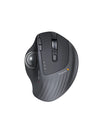
Trackball-Maus: Hält Ihre Hand stationär, während Ihr Daumen oder Ihre Finger eine Kugel rollen, um den Cursor zu bewegen. Dies reduziert die Handgelenksstreckung und wiederholte Armbewegungen drastisch.

Wichtige Merkmale, auf die Sie achten sollten:
- Einstellbare DPI (Empfindlichkeit) zur Minimierung der Handbewegung
- Konturierte Form, die zu Ihrer Handgröße passt
- Programmierbare Tasten zur Reduzierung der Klickhäufigkeit
- Kabelloses Design zur Vermeidung von Kabelzug
Testen Sie beim Kauf Ihrer ergonomischen Maus, wenn möglich, den Griff im Geschäft. Ihre Hand sollte natürlich ruhen, ohne zu greifen oder sich anzustrengen.
Optimieren Sie Ihre Maus- und Schreibtischeinrichtung
Selbst die beste ergonomische Maus hilft nicht, wenn Ihre Schreibtischeinrichtung gegen Sie arbeitet:
- Mausplatzierung: Positionieren Sie sie direkt neben Ihrer Tastatur auf Ellbogenhöhe. Ihr Oberarm sollte natürlich herabhängen, wobei Ihr Ellbogen im 90-Grad-Winkel gebeugt ist.
- Armlehnenunterstützung: Verwenden Sie einen Stuhl mit verstellbaren Armlehnen oder fügen Sie eine Schreibtisch-montierte Armauflage hinzu. Ihr Unterarm sollte gestützt aufliegen, nicht schweben.
- Abstand ist wichtig: Halten Sie Ihre Maus nah – selbst das wiederholte Nach-vorne-Greifen um 3 Zoll führt zu erheblicher Belastung.
Profi-Tipp: Maus und Tastatur sollten einen kompakten Arbeitsbereich bilden, der leicht erreichbar ist. Wenn Sie sich strecken müssen, um eines davon zu erreichen, positionieren Sie es sofort neu.
Tägliche Dehnübungen zur Linderung von Maus-Ellbogen-Schmerzen
Die Integration einfacher Dehnübungen in Ihre tägliche Routine kann helfen, Verspannungen zu lösen und die Flexibilität zu verbessern. Führen Sie diese alle 2 Stunden durch:
Handgelenkstrecker-Dehnung:
- Strecken Sie Ihren betroffenen Arm nach vorne, die Handfläche zeigt nach unten
- Ziehen Sie mit der anderen Hand die Finger sanft nach unten
- Halten Sie 30 Sekunden lang, spüren Sie die Dehnung entlang Ihres Unterarms
- Wiederholen Sie 3 Mal
Unterarmrotation:
- Beugen Sie den Ellbogen um 90 Grad, der Daumen zeigt nach oben
- Drehen Sie den Unterarm langsam nach oben, dann nach unten
- Führen Sie 10 Rotationen in jede Richtung durch
- Hält Sehnen flexibel und reduziert Steifheit
Ruhepausen: Stellen Sie einen Timer für alle 45 Minuten ein. Stehen Sie auf, schütteln Sie Ihre Hände aus und rollen Sie Ihre Schultern. Diese Mikro-Pausen verhindern den Aufbau von Verspannungen.
Warum Ihre Maus es verursacht?
Laterale Epicondylitis ist der medizinische Begriff für diese Sehnenentzündung. Ihre Unterarmstreckmuskeln sind über Sehnen mit Ihrem Ellbogen verbunden, und wenn diese Sehnen durch Überbeanspruchung winzige Risse entwickeln, leiden Sie unter chronischen Schmerzen und Schwäche.
Ihre herkömmliche flache Maus erzwingt gleichzeitig drei problematische Haltungen:
| Schädliche Position | Was passiert | Das Problem |
| Pronation | Ihr Unterarm dreht sich so, dass Ihre Handfläche flach auf dem Schreibtisch liegt | Erzeugt ein unnatürliches Drehmoment durch die Speiche und die Elle |
| Handgelenkstreckung | Ihr Handgelenk beugt sich nach oben, um die Maus zu bewegen | Ständiger Aufwärtswinkel belastet die Strecksehnen |
| Kontinuierliches Greifen | Ihre Finger bleiben angespannt, um Klicks und Bewegungen zu steuern | Muskeln entspannen sich nie vollständig, wodurch sich kumulative Ermüdung aufbaut |
Diese drei Positionen schaffen einen perfekten Sturm aus wiederholter Belastung, die die Ellbogensehnen über Wochen und Monate des Gebrauchs schädigt.

3 Warnzeichen für Maus-Ellbogen
Achten Sie auf diese Symptome:
- Brennende oder schmerzende Schmerzen an der knöchernen Außenseite Ihres Ellbogens, die sich im Laufe des Arbeitstages verschlimmern
- Schwache Griffstärke beim Heben alltäglicher Gegenstände wie Kaffeetassen, Türklinken oder sogar Ihres Telefons
- Ausstrahlendes Unbehagen, das sich entlang Ihres Unterarms in Richtung Handgelenk ausbreitet, insbesondere während oder nach dem Gebrauch der Maus
Die Schmerzen beginnen oft mild und nehmen zu, wenn die wiederholte Aktivität fortgesetzt wird. Viele Menschen bemerken sie zuerst beim Händeschütteln oder beim Drehen einer Türklinke.
Wann Maus-Ellbogen-Schmerzen einen Arztbesuch erfordern
Suchen Sie einen Arzt auf, wenn:
- Schmerzen trotz ergonomischer Veränderungen länger als 2 Wochen anhalten
- Sie Taubheitsgefühle oder Kribbeln in den Fingern verspüren
- Schmerzen Ihre Arbeit oder täglichen Aktivitäten erheblich beeinträchtigen
- Rezeptfreie Schmerzmittel keine Linderung verschaffen
Ein Arzt kann Behandlungen wie Physiotherapie, entzündungshemmende Medikamente oder in einigen Fällen andere Verfahren empfehlen. Eine frühzeitige Intervention verhindert chronische Erkrankungen, deren Heilung Monate dauern kann.
Handeln Sie jetzt: Ihr Weg zu schmerzfreiem Computing beginnt jetzt
Der Maus-Ellbogen kann der Vergangenheit angehören. Die Verwendung einer ergonomischen Maus zur Entlastung Ihrer Handgelenke, die Neugestaltung Ihres Arbeitsplatzes und die Durchführung einfacher Dehnübungen können Maus-Ellbogen-Schmerzen heilen und sicherstellen, dass Sie sie nie wieder erleben. Ihre Sehnen werden es Ihnen danken, und Sie können jahrelang schmerzfrei arbeiten.
Sind Sie bereit, Ihre Maus-Ellbogen-Schmerzen zu lösen? Informieren Sie sich über ergonomische Mausoptionen, die zur Schmerzlinderung beitragen, und machen Sie den ersten Schritt zu schmerzfreiem Computing!
FAQs
Q1. Kann eine normale Maus dauerhafte Ellbogenschäden verursachen?
Die kontinuierliche Verwendung einer herkömmlichen Maus kann zu einem Maus-Ellbogen führen, der sich zu einer chronischen Sehnenentzündung entwickelt, die zunehmend schwer zu behandeln ist. Der Maus-Ellbogen kann zu langfristigen Schmerzen und Schwäche führen, deren Genesung Monate dauern kann, obwohl der Maus-Ellbogen eigentlich keine dauerhafte Erkrankung ist.
Q2. Wie lange dauert es, bis eine ergonomische Maus Schmerzen lindert?
Benutzer können nach 1–2 Wochen mit einer vertikalen Maus oder Trackball-Maus weniger Beschwerden verspüren. Die Schmerzen verschwinden nach 4–6 Wochen, wenn sie mit der richtigen Schreibtischpositionierung und Dehnübungen kombiniert werden. Menschen mit starken Schmerzen benötigen möglicherweise 8–12 Wochen zur Genesung.
Q3. Ist der Maus-Ellbogen dasselbe wie das Karpaltunnelsyndrom?
Nein. Der Maus-Ellbogen betrifft Sehnen an der Außenseite des Ellbogens, während das Karpaltunnelsyndrom durch eine Kompression eines Nervs im Handgelenk verursacht wird, was zu Symptomen wie Taubheitsgefühlen und Kribbeln im Daumen und den Fingern führt. Beide können durch wiederholten Computereinsatz auftreten, erfordern jedoch getrennte Interventionen.
Q4. Sollte ich eine Handgelenkauflage mit meiner ergonomischen Maus verwenden?
Handgelenkauflagen eignen sich am besten für Tastaturen, nicht für Mäuse. Die Position Ihrer Handgelenke bei der Verwendung einer Maus sollte neutral oder „schwebend“ bleiben, wobei der Unterarm auf einem Tisch oder einer Armlehne gestützt wird. Die Verwendung einer speziellen Handgelenkauflage für Mäuse kann tatsächlich die Streckung erhöhen und die Maus-Ellbogen-Schmerzen verschlimmern.


