







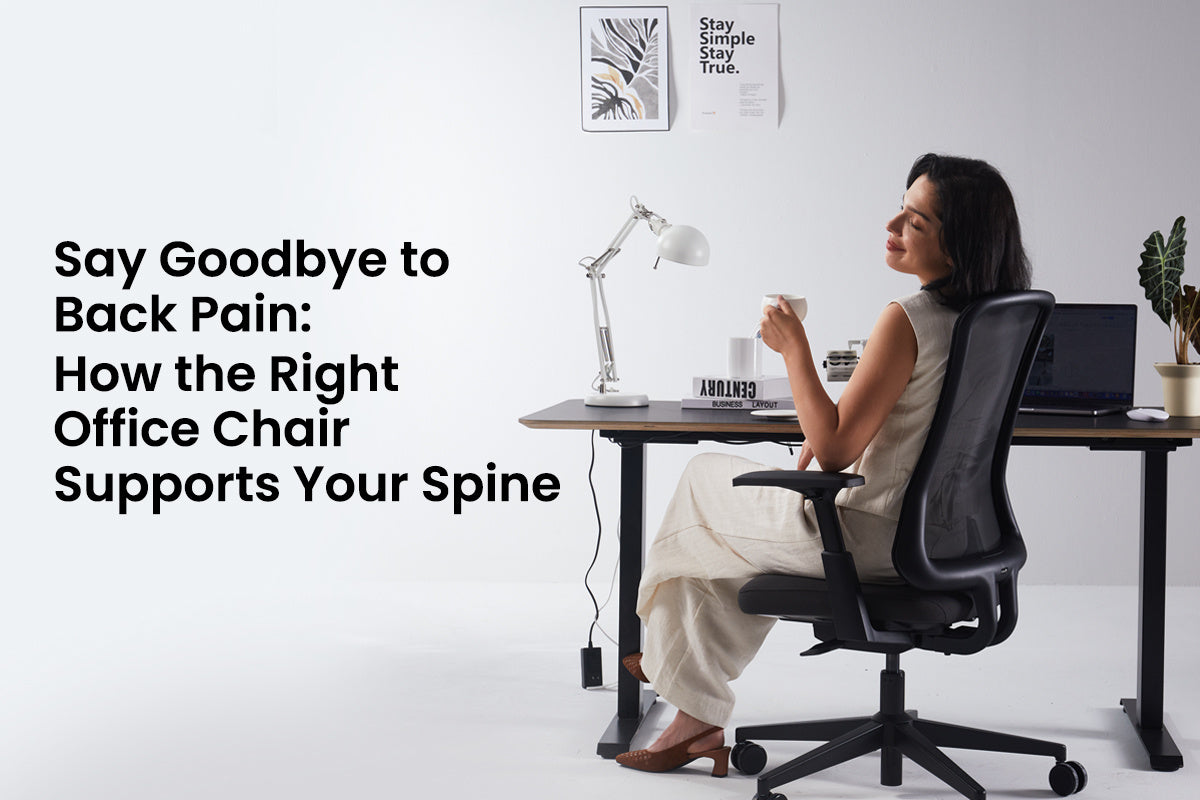
Ihre Wirbelsäule wurde nicht für achstündige Sitzmarathons konzipiert. Studien der National Institutes of Health zeigen, dass tägliches Sitzen von mehr als sechs Stunden das Risiko für chronische Rückenschmerzen und Wirbelsäulendegeneration erheblich erhöht. Der durchschnittliche Büroangestellte verbringt heute über 8 Stunden auf seinem Stuhl, oft in Positionen, die die Lendenwirbelscheiben komprimieren und die Halswirbel belasten. Ihr Stuhl könnte unbemerkt Ihre Wirbelsäulengesundheit sabotieren, oder mit den richtigen Funktionen könnte er zur ergonomischsten Bürostuhl-Lösung zur Vorbeugung von Schmerzen werden.
Die verborgenen Schäden durch mehr als 6 Stunden tägliches Sitzen
Jede Minute, die Sie krumm an Ihrem Schreibtisch verbringen, leidet Ihre Wirbelsäule. Wenn Sie an Ihrem Schreibtisch eine aufrechte Position beibehalten, behält Ihr unterer Rücken, der aus fünf Wirbeln besteht, seine natürliche S-förmige Krümmung bei. Typischerweise nehmen Menschen innerhalb von 20 Minuten nach dem Hinsetzen eine C-Form an.
Diese scheinbar harmlose Position erhöht den Druck auf Ihre Lendenwirbelscheiben um 200-300 %. Wenn Ihre Lendenwirbelscheiben im Stehen normalerweise 25 Pfund Druck aushalten, kann das Sitzen mit gekrümmtem Rücken diesen Wert auf 75 Pfund oder mehr ansteigen lassen. Ihre Bandscheiben (die Kissen zwischen den Wirbeln) wurden nicht dafür gebaut, dieser anhaltenden Kompression standzuhalten.
Die Schäden reichen bis in den Nacken. Wenn Sie eine nach vorne gerichtete Kopfhaltung haben, belastet das Ihren Nacken pro Zoll, den Ihr Kopf nach vorne geneigt ist, mit zusätzlichen 10 Pfund. Den ganzen Tag in dieser Position zu sitzen, führt zu verspannten Brustmuskeln, schwachen Rückenmuskeln und einem verspannten Nacken.
Langfristige Folgen sind:
- Bandscheibenvorfälle oder -vorwölbungen im Lendenbereich
- Degenerative Bandscheibenerkrankung, die mit dem Alter schneller voranschreitet
- Chronische Muskelverspannungen und Triggerpunkte
- Nervenkompression, die ausstrahlende Schmerzen in Beine oder Arme verursacht
Die Sechs-Stunden-Grenze ist wichtig, weil die kumulativen Mikroschäden die Fähigkeit Ihres Körpers, sich über Nacht zu erholen, übersteigen. Ihre Wirbelsäulenstrukturen benötigen Bewegung und Positionswechsel, um gesund zu bleiben, etwas, das statisches Sitzen einfach nicht bieten kann.
Wie dynamische ergonomische Stühle Ihre Wirbelsäule unterstützen
Ein guter ergonomischer Stuhl unterscheidet sich vollständig von einem herkömmlichen. Er zwingt Ihren Körper nicht in eine einzige feste Position, sondern passt sich Ihren natürlichen Wirbelsäulenkrümmungen an und ermöglicht gleichzeitig Bewegung.
Natürliche Wirbelsäulenkrümmungen mit verstellbarer Lordosenstütze beibehalten
Das Herzstück ist die dynamische Lordosenstütze, ein verstellbarer Mechanismus, der die natürliche Einwärtsdrehung Ihres unteren Rückens stützt. Diese Stütze kann nach oben oder unten und in der Tiefe verstellt werden, um sicherzustellen, dass sie Ihre Wirbelsäule genau am richtigen Punkt berührt (typischerweise auf Höhe der L3-L4-Wirbel). Richtig positioniert, erhält sie Ihre Lendenlordose (die natürliche Einwärtsdrehung) und verhindert die posteriore Beckenkippung, die zu Bandscheibenkompression führt.
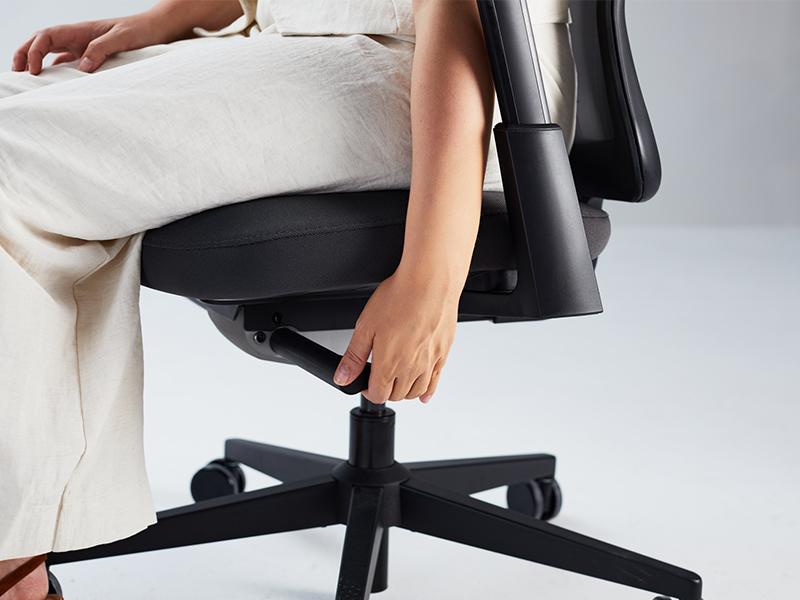
Die Sitztiefenverstellung sorgt dafür, dass Ihr Becken im richtigen Winkel sitzt. Wenn Ihr Sitz zu tief ist, sitzen Sie entweder nach vorne geneigt (verlieren Rückenhalt) oder lümmeln sich nach hinten (quetschen Ihre Lendenkrümmung). Die richtige Tiefe lässt 2-3 Zoll Platz zwischen der Sitzkante und der Rückseite Ihrer Knie, sodass Sie ganz hinten sitzen können, während die Durchblutung Ihrer Beine aufrechterhalten wird.
Verstellbare Armlehnen verdienen mehr Anerkennung, als sie erhalten. Wenn sie auf der richtigen Höhe eingestellt sind (sodass Ihre Schultern natürlich entspannt sind und die Ellbogen einen 90-Grad-Winkel bilden), entlasten sie Ihre Wirbelsäule um bis zu 10 Pfund des Oberkörpergewichts. Dies reduziert Nackenverspannungen dramatisch und verhindert die Schulterhochziehung, die zu Spannungskopfschmerzen führt.
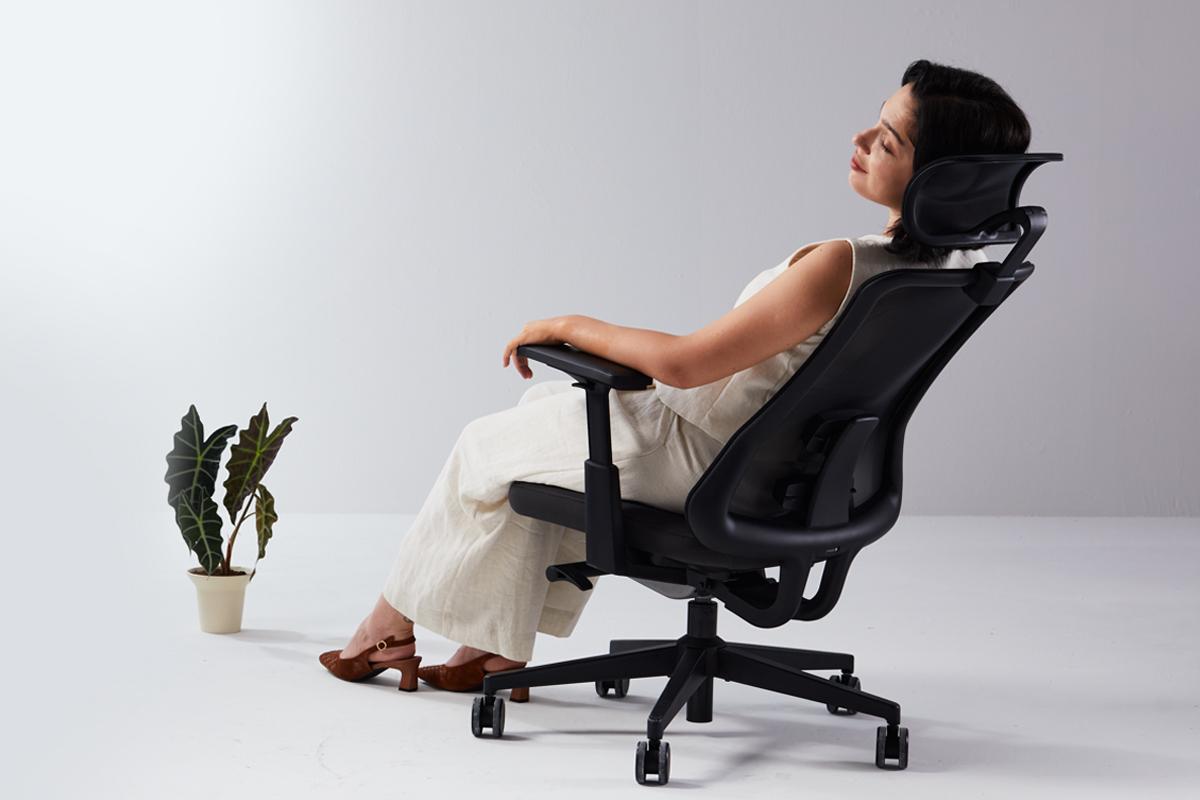
Reduzieren Sie den Bandscheibendruck durch eine Neigung von 135 Grad
Hier wird die Wirbelsäulenwissenschaft interessant. Studien mit Drucksensoren zeigen, dass das Zurücklehnen um 135 Grad den Bandscheibendruck um etwa 25 % reduziert, verglichen mit dem aufrechten Sitzen in einem 90-Grad-Winkel. In diesem Winkel verteilt sich Ihr Körpergewicht gleichmäßiger auf die Rückenlehne des Stuhls, entlastet komprimierte Bandscheiben und ermöglicht ihnen, sich leicht zu rehydrieren.
Hochwertige ergonomische Stühle verfügen über Synchro-Neigungsmechanismen, die beim Zurücklehnen die richtige Körperhaltung beibehalten. Der Sitz neigt sich leicht nach hinten, während sich die Rückenlehne weiter zurücklehnt, wodurch Ihre Knie unterhalb der Hüfthöhe bleiben und Sie nicht nach vorne rutschen.
Ergänzende ergonomische Hilfsmittel für vollständige Unterstützung integrieren
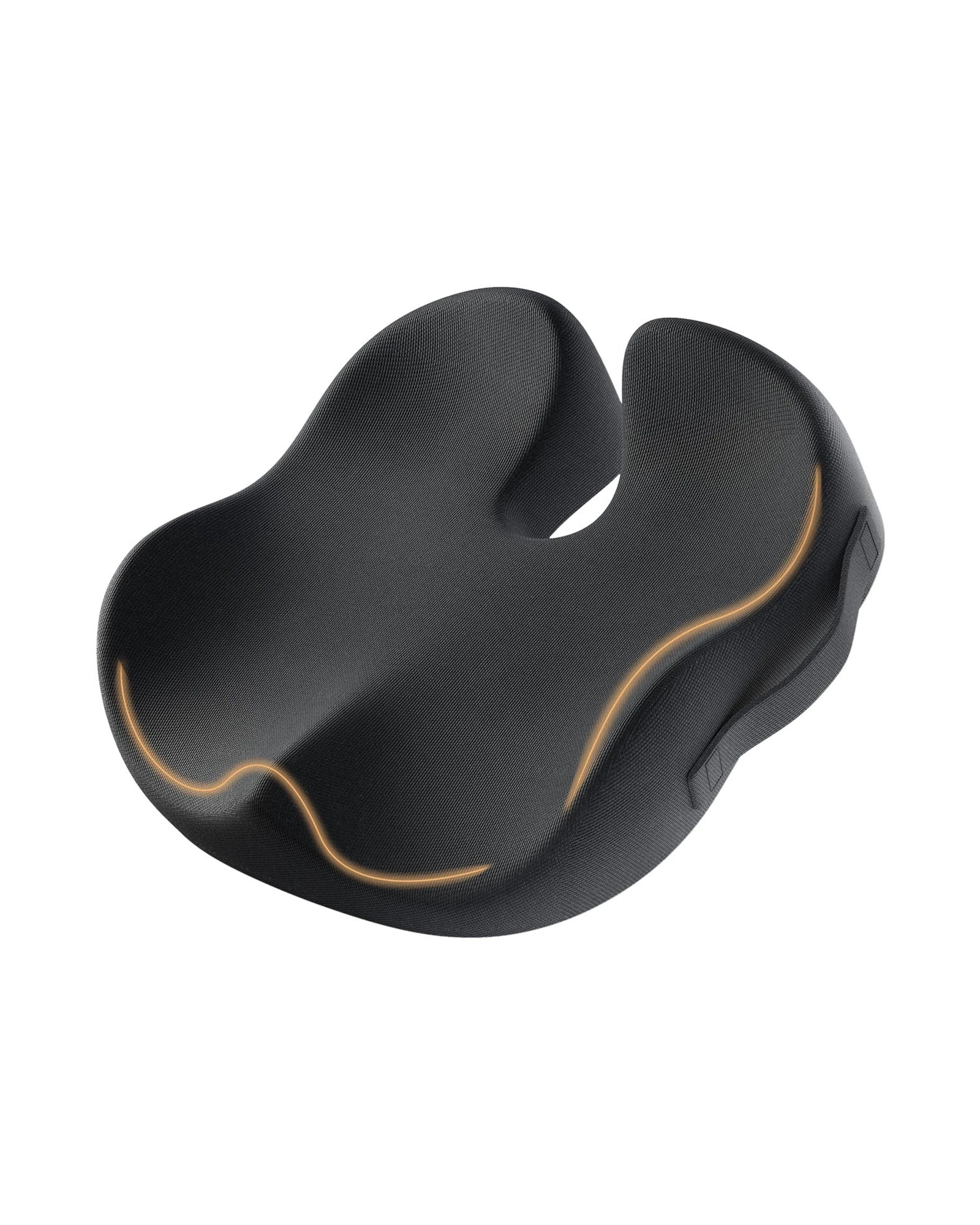
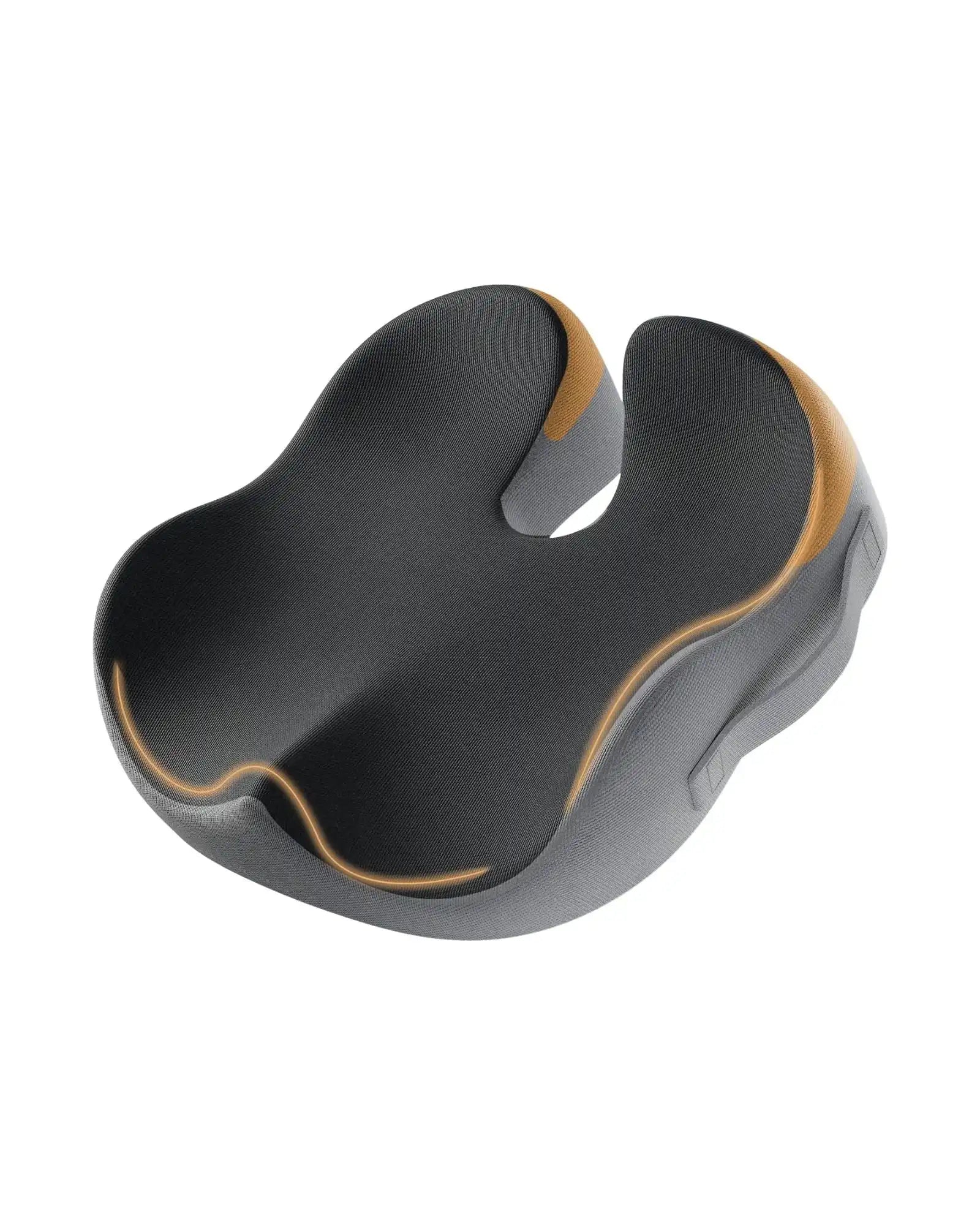
Die Wirbelsäulengesundheit hängt nicht nur von Ihrem Stuhl ab. Ein ergonomisches Sitzkissen sorgt für eine zusätzliche Druckverteilung bei Benutzern, die eine zusätzliche Steißbein-Entlastung benötigen oder eine festere Unterstützung bevorzugen. Gleichzeitig reduziert eine ergonomische geteilte Tastatur die Innenrotation der Schulter, die zu Verspannungen im oberen Rücken und Nacken beiträgt. Wenn Ihre Schultern beim Tippen in einer neutralen Position bleiben können, profitiert die gesamte obere kinetische Kette von den Fingerspitzen bis zur Halswirbelsäule.
Erfolgsgeschichten von Stuhl-Upgradern
- Sarah, eine Softwareentwicklerin, litt täglich unter Kreuzschmerzen nach nur drei Stunden an ihrem Schreibtisch. Ihr Standard-Bürostuhl bot keinerlei Lordosenstütze, was ihre Wirbelsäule den ganzen Tag in Beugung zwang. Innerhalb von zwei Wochen nach dem Wechsel zu einem Stuhl mit verstellbarer Lordosenstütze und Neigefunktion reduzierten sich ihre Schmerzen um 70 %. In der dritten Woche konnte sie volle achttägige Schichten ohne Ibuprofen arbeiten.
- Michael, ein Grafikdesigner, entwickelte chronische Nackensteifheit und häufige Kopfschmerzen. Sein Setup umfasste einen einfachen Stuhl und eine Standardtastatur, die seine Schultern in eine gebeugte Position zwang. Nach dem Upgrade auf einen ergonomischen Stuhl mit passenden Armlehnen und Kopfstütze und der zusätzlichen Verwendung einer ergonomischen geteilten Tastatur verbesserten sich seine Symptome dramatisch. Die Tastatur ermöglichte es seinen Schultern, entspannt zu bleiben, während die Kopfstütze des Stuhls verhinderte, dass sein Kinn nach vorne ragte. Innerhalb eines Monats verschwanden seine Kopfschmerzen vollständig.
- Linda arbeitet im Rechnungswesen und sitzt während der Steuersaison oft 10 Stunden am Stück. Sie fügte ihrem Stuhl ein ergonomisches Sitzkissen hinzu, um ihr Steißbein zusätzlich zu entlasten, und stellte ihre Rückenlehne in den Pausen auf die empfohlene 135-Grad-Neigung ein. Sie berichtet, dass die richtige Unterstützung ihre Ausdauer verändert hat. Zuvor musste sie aufgrund von Beschwerden alle 45 Minuten aufstehen; jetzt arbeitet sie bequem in 90-Minuten-Blöcken, bevor sie Bewegungspausen einlegt.
Der gemeinsame Nenner? Alle diese Nutzer berichteten neben der Schmerzlinderung auch von einer besseren Konzentration und Produktivität. Wenn Ihr Körper nicht alle 20 Minuten Notsignale aussendet, kann sich Ihr Gehirn tatsächlich auf die Arbeit konzentrieren.
Ihre unverzichtbare Checkliste für die Wahl des richtigen ergonomischen Stuhls
Verwenden Sie diese Checkliste, um die ergonomischsten Bürostuhloptionen zu identifizieren, die Ihre Wirbelsäulengesundheit tatsächlich unterstützen:
Lordosenstützensystem
- Muss sowohl in der Höhe als auch in der Tiefe verstellbar sein
- Sollte sich fest, aber nicht schmerzhaft anfühlen, wenn Sie ganz hinten sitzen
- Achten Sie auf Stühle mit 4D-Lordosenstütze, die sich vertikal, horizontal und in der Tiefe für eine präzise Positionierung einstellen lässt
- Testen Sie, indem Sie mindestens 5 Minuten sitzen und prüfen, ob sie den Kontakt zu Ihrem unteren Rücken aufrechterhält
Sitztiefe und -breite
- Ihr Becken sollte die Rückenlehne berühren, mit 2-3 Zoll Platz hinter Ihren Knien
- Die Sitzbreite sollte Ihre Hüften bequem aufnehmen, ohne zu drücken
- Die Vorderkante sollte wasserfallförmig (sanft nach unten abgerundet) sein, um Durchblutungsstörungen in den Beinen vorzubeugen
- Verstellbare Sitztiefe ist entscheidend, um verschiedenen Körpertypen gerecht zu werden
Flexibilität der Armlehnen
- 4D-verstellbare Armlehnen sind der Goldstandard: Höhen-, Breiten-, Winkel- und Tiefenverstellung
- Bei richtiger Einstellung sollten sich Ihre Schultern schwerelos und entspannt anfühlen
- Armlehnen sollten Ihre Schultern niemals nach oben zwingen oder Sie daran hindern, nah an Ihrem Schreibtisch zu sitzen
- Achten Sie auf Armlehnen, die sich nach innen oder außen drehen lassen, um Ihrer natürlichen Armposition zu entsprechen
Liege- und Neigungsmechanismus
- Mindestens 135 Grad Neigungsfähigkeit mit einfacher Arretierung in verschiedenen Positionen
- Die Mehrfach-Positionierungs-Neigungsverriegelung ermöglicht es Ihnen, Ihren bevorzugten Winkel den ganzen Tag über zu fixieren
- Die Synchro-Tilt-Funktion hält Sie beim Zurücklehnen im Gleichgewicht
- Die einstellbare Spannung lässt Sie kontrollieren, wie viel Kraft das Zurücklehnen erfordert
Kopfstützenkonfiguration
- Sollte Ihren Schädel am Hinterhauptbein (wo der Schädel auf den Nacken trifft) stützen, nicht den Kopf nach vorne drücken
- 3D-verstellbare Kopfstütze (Höhe, Winkel und Tiefe) sorgt für die richtige Nackenstütze
- Muss hoch genug sein, um Ihren gesamten Kopf beim Zurücklehnen zu stützen
- Besonders wichtig, wenn Sie häufig Liegepausen machen oder telefonieren
Qualität des Sitzkissens
- Die Dichte ist wichtiger als die Weichheit; achten Sie auf hochdichten Schaumstoff, der nicht durchsackt
- Atmungsaktive Netzrückenlehnen verhindern bei langen Sitzungen Wärmestau, deutlich besser als Leder oder Stoff
- Überlegen Sie, ob ein zusätzliches ergonomisches Sitzkissen zur Entlastung des Steißbeins von Vorteil sein könnte
- Die Netzkonstruktion fördert die Luftzirkulation und sorgt für gleichmäßige Unterstützung
Gesamte Einstellbarkeit
- Der Höhenbereich sollte Ihrem Schreibtisch und Ihren Körperproportionen mit pneumatischer Höhenverstellung entsprechen
- Alle Einstellungen sollten im Sitzen erreichbar sein
- Die Bedienelemente sollten intuitiv genug sein, damit Sie sie auch tatsächlich nutzen
- Achten Sie auf Stühle mit 360-Grad-Drehfunktion und leichtgängigen Rollen für einfache Bewegung
Tragfähigkeit und Verarbeitungsqualität
- Überprüfen Sie die Tragfähigkeit des Stuhls, um sicherzustellen, dass sie Ihren Anforderungen entspricht (qualitativ hochwertige Stühle tragen über 250-300 Pfund)
- Stabiles Aluminium- oder Stahlgestell bietet bessere Stabilität als Kunststoff
- Suchen Sie nach Stühlen mit verstärktem Rahmen und hochwertigen Materialien
FAQs
F1. Was macht einen Stuhl zum ergonomischsten Bürostuhl?
Damit ein Bürostuhl aus ergonomischer Sicht optimal ist, muss er auf vielfältige Weise verstellbar sein (wie 4D-Lordosenstütze, verstellbare Armlehnen oder eine verstellbare Kopfstütze), aus Materialien bestehen, die nicht zur Muskelermüdung beitragen, und die Möglichkeit haben, sich um 135 Grad zurückzulehnen. Stühle, die diese Funktionen nicht haben, mögen zwar den Status „ergonomisch“ beanspruchen, bieten aber keine umfassende Wirbelsäulenunterstützung.
F2. Wie kann man Nackenverspannungen bei der Arbeit von zu Hause ohne dedizierte Büroeinrichtung reduzieren?
Zusätzlich zu Ihrem ergonomischen Stuhl stellen Sie Ihren Laptop auf Augenhöhe, indem Sie Bücher oder einen Staffeleiständer verwenden, um zu vermeiden, dass Sie den Kopf nach vorne neigen. Verwenden Sie Ihre ergonomische Split-Tastatur auf Ellbogenhöhe, um Ihre Schultern bequem zu positionieren. Führen Sie jede Stunde 30 Sekunden lang Mikro-Pausen mit Nackendrehungen durch, um Muskelverspannungen zu reduzieren.
F3. Kann ein ergonomisches Sitzkissen eine schlechte Haltung beheben, wenn meinem Stuhl die Lordosenstütze fehlt?
Nein. Ein ergonomisches Sitzkissen kann sowohl Druck auf die Sitzbeinhöcker als auch auf das Steißbein lindern, ist aber in der Rolle der Bereitstellung einer korrekten Lordosenstütze ineffektiv. Wenn Sie Druck verspüren, weil Ihr Stuhl Sie zwingt, eine S-förmige Krümmung beizubehalten, ist es weder praktisch noch sicher, dieses Problem einfach durch ein ergonomisches Sitzkissen zu ergänzen.
F4. Sollte ich ergonomische Funktionen des Bürostuhls oder die Umstellung auf einen Stehschreibtisch priorisieren?
Wenn es um ergonomische Funktionen im Bürostuhl geht, sollten diese zuerst priorisiert werden, da Sie dort etwa 60-70 % Ihrer Arbeitszeit verbringen. Eine krumme Haltung führt zu einer größeren kumulativen Belastung der Wirbelsäule als Stehbelastung. Ziehen Sie zuerst den ergonomischen Bürostuhl in Betracht, gefolgt von Stehmöglichkeiten.
Übernehmen Sie jetzt die Kontrolle über Ihre Wirbelsäulengesundheit
Akzeptieren Sie Rückenschmerzen nicht länger als Teil Ihres Arbeitstages. Untersuchen Sie Ihren aktuellen Stuhl: Bietet er eine 4D-Lordosenstütze auf Ihrer L3-L4-Ebene? Kann er sich um 135 Grad mit Mehrpositionsarretierungen zurücklehnen? Verfügt er über atmungsaktives Netzgewebe und verstellbare Armlehnen, die Ihre Schultern wirklich entspannen? Ergonomische Stühle zeichnen sich aus, weil sie kritische Kontaktpunkte der Wirbelsäule durch fortschrittliche Verstellbarkeit unterstützen. Jeder Tag mit unzureichender Bestuhlung verstärkt Schäden, die schwerer rückgängig zu machen sind. Investieren Sie jetzt in Ihre Wirbelsäulengesundheit.