








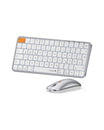









FAQ - XK03
About XK03 Connection
What should I do if the keyboard has connection or pairing issues?
- Charge the keyboard fully.
- Delete the keyboard Bluetooth in your device's Bluetooth listing, restart and repairing. (Bluetooth connection steps: press and hold the Fn+Q/W/E for 3-5 seconds until the Bluetooth indicator light flashes rapidly, indicating that the keyboard has entered Bluetooth pairing mode).
- Attempt to connect the keyboard to another device via Bluetooth to see if it can work properly.
How do I switch Bluetooth channels?
Press Fn+Q/Fn+W/Fn+E to switch Bluetooth channels.
About XK03 Keyboard Buttons
How do I realize the 4 functions on the ESC button?
About the Esc button of the XK03 keyboard:
- Directly press the Esc button to get a "`".
- Press Shift + Esc button to get a "~".
- Press the Fn + Esc button to open the home page.
- Press the Fn + Shift + Esc button to get the Esc function.
By resetting the keyboard Bluetooth and entering the pairing mode for the desired channel, you should be able to establish a connection.
How do I realize the Ctl+Alt+Del shortcuts?
Since the XK03 keyboard does not have a separate Del button, the XK03 keyboard does not support the Ctl+Alt+Del shortcuts.
