


















It's hard to see someone you care about struggle through the morning. When they stand up, they stretch or shift uncomfortably., and at dinner, they rub a sore neck. People who have these small signs of physical stress often have a job that doesn't help their bodies. If you care about your partner, you need to look past the screen and see how their surroundings affect their health in the long run. Taking care of these problems now will keep them from having to deal with stress in the future and make their work life much easier. It will also show that you care about their health and success.

Sign 1: Constant Mid-Day Back Rubbing
If your partner reaches for their lower back every time they stand up, their body is signaling a lack of support. Sitting for hours puts immense pressure on the spinal discs.
Why Does Their Back Hurt So Much?
The human spine has a natural S-curve that requires constant stabilization. Without a proper chair, most people tend to slouch, which flattens the lower back and strains the muscles. Over time, this posture can lead to musculoskeletal disorders—conditions affecting the joints, ligaments, and nerves due to prolonged strain.When the seat does not follow the natural shape of the body, the back muscles must work overtime just to keep the person upright.
Essential Features of an Ergonomic Chair
A high-quality chair should act as a foundation for the entire body. It needs to offer adjustable lumbar support, which is a dedicated cushioning or curve that fills the gap between the lower spine and the seat back.
- Adjustable Height: This ensures feet remain flat on the floor to reduce hip pressure.
- Synchronous Tilt: A mechanism that allows the backrest and seat to tilt at different ratios for better movement.
- Breathable Material: Quality mesh or fabric helps regulate body temperature during long sessions.

Sign 2: Shoulders Hunched While Typing
You might notice your partner looking like a "T.rex" while they work, with their elbows tucked in and shoulders hiked up toward their ears.
What Causes Shoulder Pain During Typing?
Shoulder tension usually happens because a standard keyboard is too narrow. This forces the arms to angle inward, causing the shoulder blades to pull apart and the chest muscles to tighten. Over time, this posture leads to upper back knots and persistent stiffness. The constant reaching for keys that are not aligned with the natural width of the shoulders keeps the muscles in a state of permanent contraction.
Key Features of Ergonomic Keyboards
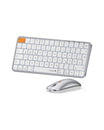
Switching to a specialized keyboard can help open up the chest and relax the upper body. These devices are often designed with a split layout, featuring a split or curved layout that allows the hands to rest at a more natural, shoulder-width angle.
| Feature | Benefit for the User |
| Split Design | Keeps shoulders open and relaxed |
| Tent Function | Tilts the keys upward to match the natural angle of the hands |
| Wrist Rest | Provides a soft surface to prevent contact stress |
Providing a split layout allows the arms to stay parallel, which significantly reduces the load on the rotator cuff and neck muscles.
Sign 3: Frequent Wrist Shaking or Rubbing
That repetitive flicking of the wrist is a major red flag. It often suggests that the median nerve, which runs through the wrist, is being compressed.
Why Do Their Wrists Ache After Work?
Most people use a traditional mouse that requires the palm to be face down. This position is known as pronation, and it causes the two bones in the forearm to cross, putting pressure on the carpal tunnel. The carpal tunnel is a narrow passageway on the palm side of the wrist made of bones and ligaments. If your partner is constantly shaking their hands, they are likely trying to restore blood flow or relieve the numbness caused by this unnatural twist.
Important Features of an Ergonomic Mouse
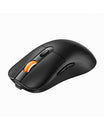
The goal of an ergonomic mouse is to keep the hand in a "handshake" position. Using a specialized mouse, such as a vertical design or a trackball model, prevents the forearm bones from crossing and eliminates the need for repetitive wrist movements to move the cursor.
- Contoured Shape: Fits the natural curve of the palm to reduce grip force.
- Alternative Control: Trackball designs allow the thumb to move the cursor, keeping the wrist stationary.
- Thumb Rest: Keeps the thumb in a neutral position to prevent cramping.
Sign 4: Forward Head Posture at the Desk
"Tech neck" occurs when the head drifts forward toward the monitor. This adds a massive amount of weight and strain to the cervical spine.
What's Behind the Neck Strain?
When the eyes are not level with the top third of the screen, the body naturally leans forward to see better. This creates a domino effect where the neck bends and the upper back rounds. This posture can lead to tension headaches and long-term alignment issues. The neck muscles are simply not designed to hold the weight of the head at an extreme forward angle for eight hours a day.
Monitor Setup and Chair Integration Features
Addressing this often involves a combination of screen adjustment and chair mechanics. Your partner needs to be able to lean back into their chair while still seeing the screen clearly.
- Headrest Adjustment: A proper headrest supports the base of the skull while reclining.
- Depth Adjustment: Ensures the person is sitting far enough back in the chair to utilize the backrest.
- Tension Control: Allows the user to lean back easily without feeling unstable.
Sign 5: Constant Leg Shifting and Fidgeting
Leg restlessness is often more than just a habit. It is frequently a sign that the seat is cutting off circulation to the lower limbs.
Why Can't They Sit Still?
If a chair is too deep, the edge of the seat presses against the back of the knees. This area contains vital blood vessels and nerves. When pressure is applied here, it restricts blood flow, leading to swelling or a restless feeling in the legs. Your partner might be fidgeting because their body is desperate to get the blood moving again.
Chair Adjustability Features That Improve Circulation
A well-designed chair must accommodate the length of the user's thighs. Seat depth is the distance from the back of the seat to the front edge, and it is a critical factor in leg health.
The following table highlights how specific adjustments impact lower-body comfort.
| Adjustment Type | Physical Impact |
| Seat Slide | Creates space between the seat edge and the knees |
| Waterfall Edge | A rounded front seat design that reduces pressure on thighs |
| Gas Lift | Controls the height so feet remain firmly planted |
Properly adjusting these settings ensures that weight is distributed evenly across the buttocks and thighs rather than focusing pressure on the joints.
How to Choose Ergonomic Gear They'll Actually Use
Selecting equipment for someone else requires a balance of function and personal preference. You want to provide tools that solve their specific pain without making their desk feel cluttered.
Match Products to Their Specific Pain Points
Start with the most obvious problem:
- Back pain suggests prioritizing an ergonomic chair
- Shoulder tension points toward a split keyboard
- Wrist discomfort means focusing on a mouse replacement
- Multiple issues might need a phased approach
Don't try to replace everything at once. Let your partner adjust to one change before introducing another. Some people adapt quickly to new gear, while others need time to build new muscle memory.
Consider Budget Options Across All Categories
Ergonomic equipment ranges from affordable to premium. Entry-level options often provide significant improvement over standard gear without requiring major investment. Higher-end products offer more adjustability and durability, but aren't always necessary for everyone.
Consider which features matter most for your partner's specific pain points. Someone with severe back pain might benefit from investing more in a chair, while someone with wrist issues should prioritize mouse quality. The goal is matching the solution to the problem, not buying the most expensive option available.
Take Action Before Pain Becomes Chronic
Your partner doesn't have to accept workplace discomfort as normal. Those aches and pains you feel every day are early warning signs that can be fixed with the right physical support. Start a talk about what you've seen and what you know about how getting the right chair, keyboard, and mouse can change their daily life. Bigger problems can be avoided by making small changes now. And sometimes, all someone in pain needs is someone to show them the way out.
FAQs
Q1. How Can I Encourage My Partner to Try Ergonomic Equipment Without Seeming Critical?
Frame the conversation around care rather than criticism. Instead of making general assertions, try to focus on specific things you saw, like "I saw you rubbing your wrist after work." Send people articles or movies about the benefits of ergonomics and recommend that they try one piece of equipment as an experiment instead of changing everything at once.
Q2. What's the Typical Adjustment Period for Split Keyboards?
It usually takes one to two weeks for most people to become used to a split keyboard design. Within the first week, typing speed typically recovers to normal after initially declining. During the transition period, it's important to use it consistently instead of alternating with a standard keyboard.
Q3. Which Ergonomic Upgrade Provides the Fastest Relief?
An ergonomic mouse, especially a trackball or vertical one, usually makes a big difference in the first few days by making your wrists feel better. A customized keyboard also helps the shoulders feel better quickly by changing the angle of the arms while typing. A professional chair may take a week or two for the body to become used to the new support, but it is the best choice for spinal health and overall posture.
Q4. Can Gaming Setups Benefit From the Same Ergonomic Principles?
Of course. Gamers often sit at their desks for longer amounts of time than people who work in offices. The same rules apply: good chair support keeps your back from hurting, ergonomic keyboards keep your shoulders from hurting, and vertical mice keep your wrists safe. A lot of ergonomic items now come in gaming-specific variants with extra features that don't hurt performance.


