









Remote work isn't temporary anymore. As hybrid schedules cement themselves into the 2026 workplace culture, your home office setup directly impacts your long-term spinal health. The myth that quality ergonomic support requires a luxury budget no longer holds true. Smart selection beats expensive branding every time. Whether you're seeking an ergonomic computer chair or an ergonomic study chair, knowing what truly matters helps you invest wisely in the best ergonomic chair your budget allows.
Common Budget Chair Traps to Avoid Before Shopping
Before comparing features and prices, recognize the marketing tactics that drain budgets without delivering value.
- The feature overload illusion convinces buyers that twenty adjustment points beat five well-designed ones. A chair advertising "18-way adjustability" often includes gimmicks like removable pillows counted as separate features. Focus instead on core adjustments: lumbar position, armrest height, and seat depth.
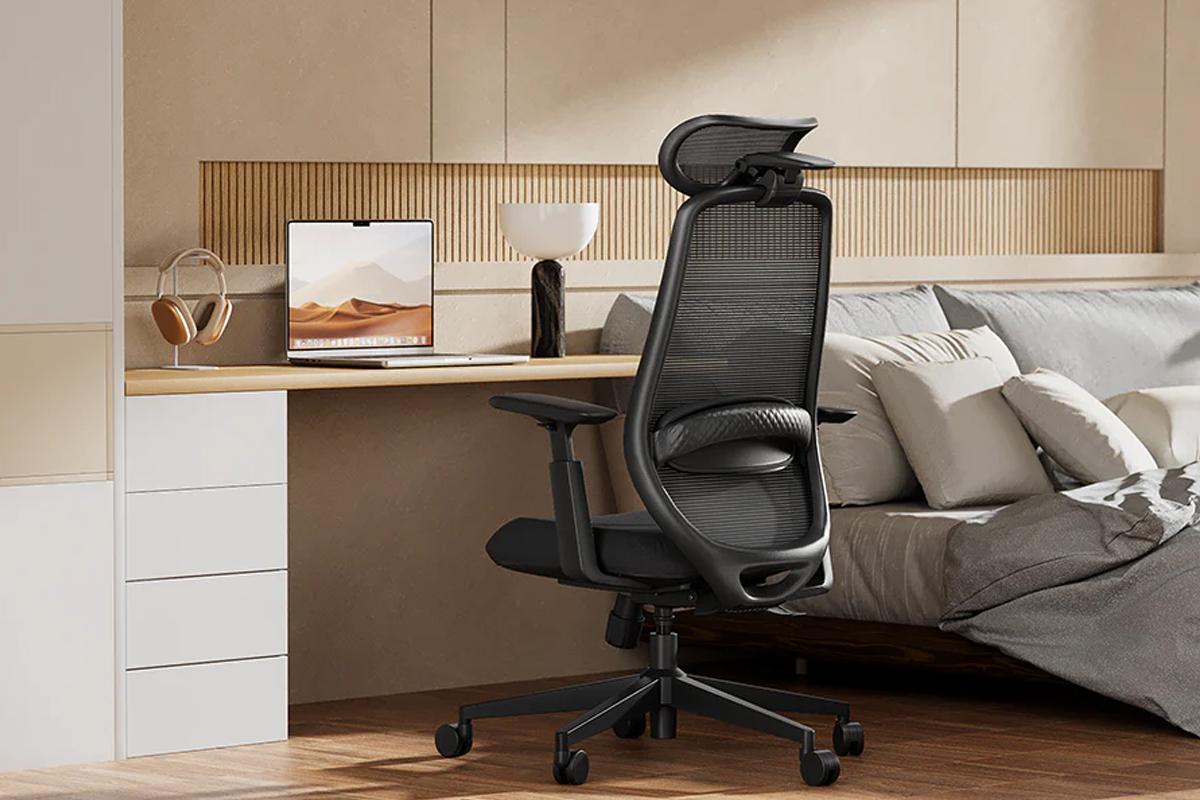
- Gaming chair aesthetics dominate budget ergonomic markets, but racing-inspired designs prioritize looks over spinal support. These chairs feature fixed lumbar pillows that cannot adjust to your back curve, plus synthetic leather that traps heat. An ergonomic computer chair with a breathable mesh back will often outperform flashy gaming chairs for actual office work.
- Brand name premiums plague the furniture industry. You're often paying for advertising budgets rather than superior materials. Lesser-known manufacturers frequently use identical components while charging significantly less. Verify certifications and user reviews instead of relying on brand recognition.
- Ignoring size specifications causes the most regret. A chair designed for average heights may not support someone over six feet tall effectively, regardless of its other features. Always verify that the weight capacity, seat height range, and backrest dimensions match your body before considering aesthetics.
Essential Features Every Best Ergonomic Chair Under $200 Must Have
Budget constraints don't mean sacrificing spine health. Certain features separate genuinely supportive chairs from cosmetic imitations.
Adjustable Lumbar Support That Actually Moves
Fixed lumbar pillows often fail because everyone's lower back has a unique curve. Your lumbar spine (the five lower vertebrae labeled L1 through L5) needs support at the L3-L4 level specifically, where the natural inward curve is most pronounced.
Quality budget chairs offer height-adjustable lumbar pads that slide up or down to contact your specific curve point. Better models may also include depth adjustment.Test this by sitting fully back and feeling whether the lumbar pad contacts your lower back without gaps.
Breathable Materials and High-Density Foam
Mesh backrests allow continuous airflow, keeping your back dry during extended sessions. This matters especially for an ergonomic study chair used during multi-hour focus blocks.
The density of the seat cushion determines long-term comfort. Low-density foam compresses within months, creating a bowl shape that throws off posture. High-density foam maintains its shape for years. Test by pressing firmly: quality foam rebounds within three seconds.
Avoid synthetic leather at this price point. Budget PU leather cracks quickly and offers zero breathability. Fabric or mesh provides better durability and comfort.
Multi-Directional Armrest Adjustability
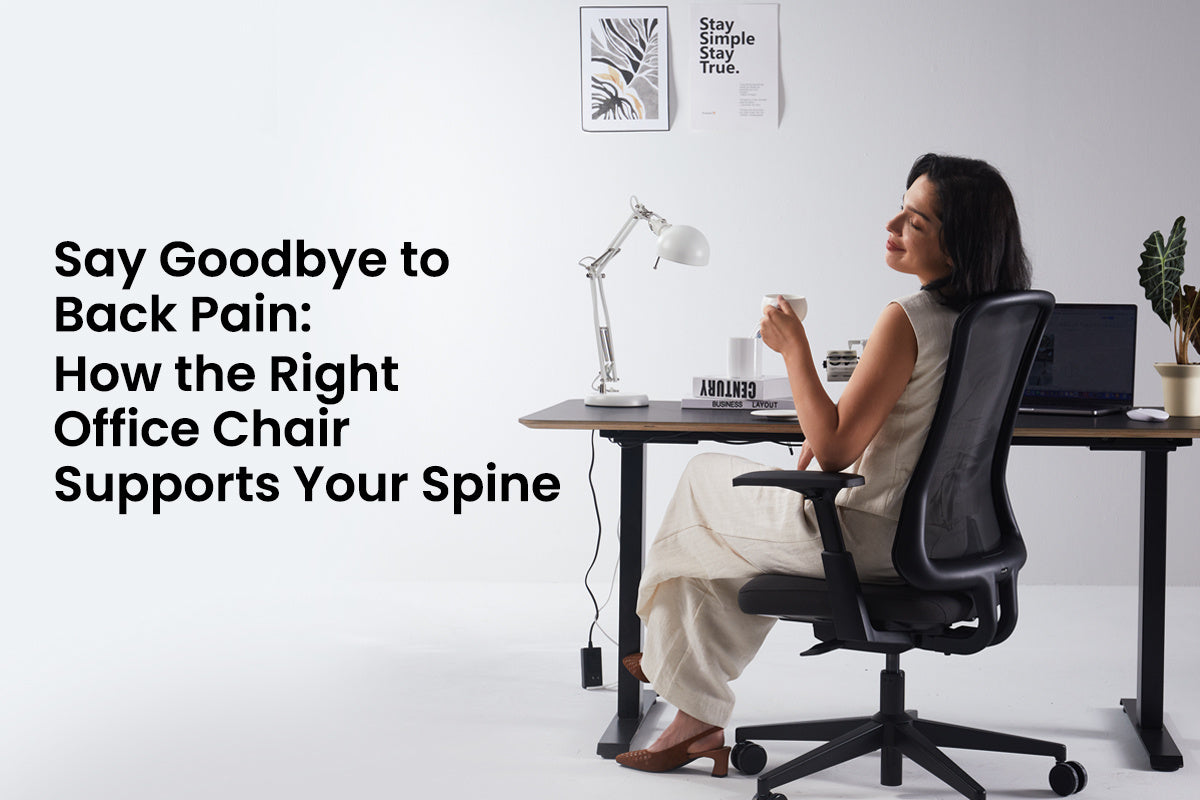
Proper armrest height removes approximately ten pounds of upper body weight from your spine, dramatically reducing neck and shoulder tension. Fixed armrests force your body to adapt to the chair, rather than allowing the chair to adapt to you.
Minimum requirement: height adjustment that lets your elbows rest at 90 degrees while your shoulders stay relaxed. Better ergonomic chairs for home office models add width adjustment. Set armrests so your forearms rest lightly while typing without lifting your shoulders.
Recline Range With Multiple Locking Positions
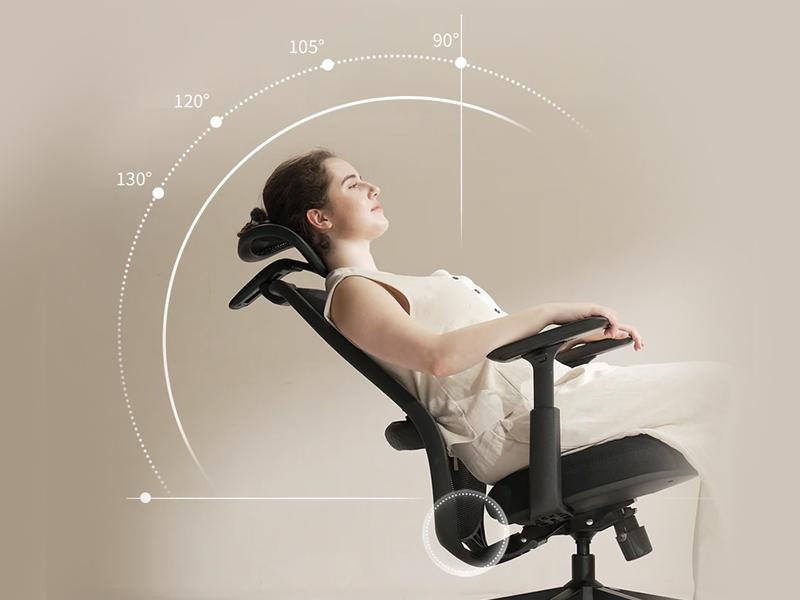
The ability to recline beyond standard 90-degree sitting is crucial for spinal decompression during long work sessions. Quality budget chairs should offer recline capability up to at least 135 degrees, the angle scientifically proven to reduce disc pressure.
Look for multiple locking positions throughout the recline range, not just one or two fixed angles. This lets you secure your preferred position for different tasks: slightly reclined for reading, upright for typing, or fully reclined for phone calls. Smooth tilt tension adjustment lets you control resistance based on your body weight and preferences.
Match Your Chair to Your Work Style and Body Type
Your ideal ergonomic computer chair depends on how you actually work and your physical dimensions.
For Heavy Computer Users and Programmers
Programming marathons demand specific support from your ergonomic computer chair. Prioritize chairs with the following features:
- Adjustable headrest to prevent forward neck strain during screen focus
- 3D armrests (adjustable in height, width, and pivot) to support varied typing and mousing positions.
- Breathable mesh backrest for temperature regulation during long sessions
Position your monitor at arm's length and adjust your chair's recline to maintain a neutral neck position. Many programmers benefit from a slight recline rather than bolt-upright positioning.
For Students and Long Study Sessions
Academic work involves sustained static postures. An ergonomic study chair should emphasize superior seat cushion comfort, maximum breathability, and may include lockable wheels to prevent unintended movement during note-taking.
Allocate your budget strategically: invest more in seat cushion quality and lumbar support, accepting simpler armrests if necessary.
For Home Office Multi-Taskers
Video calls, typing, and document review require positional flexibility. Your ergonomic chair for the home office should offer a synchro-tilt mechanism (where seat and back recline proportionally), multiple recline lock positions, and a full range of lumbar adjustment.
Matching Chair Size to Your Height and Weight
Body dimensions determine whether specific chairs will work:
- Under 5'4" tall: Verify seat depth doesn't exceed 17 inches. Adjustable seat depth is crucial.
- 5'4" to 6'0" tall: Standard sizing works, but confirm lumbar support adjusts through a range that includes your lower back position.
- Over 6'0" tall: Check seat height maximum and backrest height. Your thighs should be parallel to the floor at the proper height.
- Over 200 pounds: Verify weight capacity certification and look for reinforced frame construction with wide seat bases.
Smart Shopping Checklist for Your Budget Ergonomic Chair
Whether shopping for an ergonomic study chair or home office setup, arm yourself with this practical verification list before clicking purchase.
Before you shop:
- Measure your desk height and workspace dimensions
- Calculate daily sitting hours honestly
- List your three most important features
- Research user reviews mentioning six-month or one-year experiences
- Verify return policy and warranty coverage
Online purchase considerations:
- Seek sellers offering 30-day trial periods
- Check assembly complexity and whether tools are included
- Test customer service responsiveness with pre-purchase questions
Immediate post-delivery tests:
- Sit for fifteen minutes, testing every adjustment
- Verify gas lift operates smoothly without noise
- Test caster rolling on your actual floor surface
- Confirm all bolts are properly tightened
FAQs
Q1. How Long Does a Budget Ergonomic Chair for the home office typically last with daily use?
Quality is far more important than price when it comes to longevity. If the budget chair is properly constructed, ensuring all parts meet certification levels and that all materials have high density, it will last at least three to five years at eight hours per day. What matters is not price, but gas lift certification, foam density, and quality of structure. Upgrade when either the gas lift breaks down, the foam is heavily compressed, or the mechanisms are no longer working properly.
Q2. Should I Choose Mesh or Foam for the Best Ergonomic Chair in Hot Climates?
Temperature control – Mesh is clearly superior in temperature control. Foam can retain your body heat and dampness, causing difficulties when sitting for an extended period in hot weather. Good quality mesh allows for some support with constant airflow. The drawback would be that it has a harder feel when sitting, although this goes away within a few days.
Q3. Can an Ergonomic Computer Chair Improve Productivity Beyond Just Comfort?
Yes. Physically uncomfortable people cannot focus their minds. When your body doesn't ache every twenty minutes, your mind focuses much more sharply. Ergonomic chairs cut down on restless movements that thwart concentrated thought. People use the system more efficiently simply because their bodies aren't constantly advising them to change position out of discomfort.
Q4. Do Ergonomic Study Chairs Need Different Features Than Office Task Chairs?
The design focus of study chairs is on static comfort for prolonged periods of time, while for task chairs it is on dynamic support for movements. Students have to concentrate for several hours at a time while reading and writing, and hence their chairs require excellent cushioning and support. Office chair users have to switch between computers, telephoning, and conference work, and require variation in reclining movements and adjustable arms.
Start 2026 With Smarter Seating Choices
Budget constraints do not mean a life sentence of back pain. The best ergonomic office chair within your budget will cost you less than you think by deprioritizing marketing and focusing on functionality. Allocate your budget to those that have adjustable lumbar support, are made of breathable materials, and have safe components. Use the above list to assess them based on objectivity by relating their characteristics to how you work and what your physical characteristics are. Let 2026 be the year you invest in an ergonomic office chair that truly supports you.