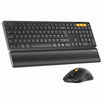



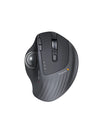



Tech reviewer Hans has earned a loyal following with his honest and detailed style. In his hands-on review of the ProtoArc EKM01 Advanced Ergonomic Keyboard & Mouse Combo, he shared some valuable insights. If you're looking for a multi-purpose ergonomic keyboard and mouse that delivers on comfort, features, and value, Hans’s insights are incredibly valuable. The ProtoArc EKM01 clearly impressed him, and it’s easy to see why.
🖱️Built for Comfort: The Key to Productivity
Throughout his review, Hans kept coming back to one thing: the EKM01’s incredible comfort. He mentioned that after using it for a while, his “hands, wrists, palms, and fingers” didn't feel as much fatigue as they used to. The keyboard’s innovative split design is a game-changer for relieving wrist pressure. Plus, the built-in palm rest provides exceptional support. As Hans put it, “The first thing I’ve liked about this keyboard is this wrist rest. It's super comfortable.”
⚡Seamless Switching: Your Multi-Device Hub
Another huge selling point for the ProtoArc EKM01 is its versatility. It can connect to three devices at the same time—one via the 2.4GHz USB dongle and two via Bluetooth.
- Easy Pairing: Hans demonstrated how easily he connected it to his iPad Pro M1, noting that “all the function buttons are working perfectly fine.”
- Universal Compatibility: He said the combo is "device agnostic," so it works flawlessly with Windows, macOS, iOS, and Android.
-
Smooth Workflow: The ability to switch seamlessly between his Surface Book Pro and MacBook Pro M1 Max made his workflow incredibly smooth.
💰Unbeatable Value: A Smart Investment
According to Hans, the ProtoArc EKM01 ergonomic keyboard and mouse offers incredible value for the price. While it normally costs $109.99, he was able to buy it for less than $100 on sale. He was thrilled, saying, “At this price point, this is a steal because this one really comes with some cool and interesting features.” He even added that he wouldn't regret paying $150 for it, as the combo still offers great value at that price.
🎨 The Details That Make All the Difference
This ergonomic keyboard and mouse combo pays close attention to the small things. Hans especially liked the mouse’s accent color and said, “it's really built with premium materials. It feels super comfortable in hand.” The keys and mouse are designed to be silent. Hans noted that “none of these buttons generate any sound, so in a work environment, it's very good to use.” He also pointed out that all the keys have good travel and a satisfying, "clicky" feel—almost like a mechanical keyboard—while remaining very comfortable and requiring no force to press.
The Verdict: An Ultimate Office Upgrade
Hans's review makes it clear: from its ergonomic design and seamless multi-device switching to its silent keys and unbeatable value, the ProtoArc EKM01 combo is an ideal choice for professionals and productivity enthusiasts. If you have any questions about this product, feel free to drop a comment below.